Municipal permitting teams are under pressure to move payments online without disrupting compliance or accountability. A well run implementation prevents chargeback risks, reporting gaps, and applicant confusion.
This guide provides a practical checklist for municipalities implementing a permit payments platform. It is for planning, building, and zoning departments, plus finance and IT. The key takeaway: align policy, workflows, and integrations first, then configure payments and controls to support secure, auditable digital building permitting.
What a Permit Payments Platform Must Deliver
A permit payments platform should do more than process cards. It must connect application intake, approvals, and financial controls to protect revenue and speed service.
Core capabilities to require
- Online payments for fees, deposits, and penalties with receipts
- Integration with permit records so charges map to applications
- Role based permissions for cashiering, refunds, and waivers
- Comprehensive audit trail with timestamped actions and user IDs
- Applicant self serve invoices, payment history, and status
Outcomes municipalities should expect
- Faster revenue collection and reduced counter traffic
- Fewer errors from manual reconciliation
- Clear visibility into paid, pending, and refunded items
- Consistent fee application across departments and permit types
Choose Your Primary Approach and Scope
Defining scope early ensures that payments map cleanly to workflows and policies.
Payment flows to support from day one
- Application fees at submission
- Review stage top ups for revisions or rechecks
- Issuance fees on approval for low risk permits via auto approval permitting
- Inspection and reinspection fees post issuance
- Refunds and adjustments tied to documented approvals
In scope vs later phase
- Phase 1: Card payments, fee schedules, receipts, daily settlement export
- Phase 2: ACH or online banking, deposit holds and releases, partial payments
- Phase 3: Escrow, payment plans, offline counter intake with posted batches
Governance and Policy Alignment
Payments are financial controls. Align policy before you configure software.
Decisions to document
- Who can set or change fee schedules and on what approval path
- Refund eligibility criteria and required documentation
- Waiver or subsidy rules and supporting evidence
- Revenue coding and GL mapping per fee type
Risk controls to embed
- Dual approval for refunds and fee overrides
- Permission tiers separating creation, approval, and release
- Mandatory audit notes for sensitive actions
- Daily settlement verification checklist
Data, Security, and Canadian Residency Requirements
Municipal data must remain secure and compliant with residency expectations.
Security practices to verify
- AES 256 encryption at rest and TLS in transit
- Granular role based permissions and MFA
- Immutable audit logs of status changes, document verification, and payments
Residency and retention
- Canada Central data residency for application and payment records
- Configurable retention aligned to municipal bylaws and records policy
- Export capability for finance and archival systems
Integration Planning With Finance and IT
Tight integration prevents reconciliation headaches and duplicate effort.
Systems to connect
- Permit management system for application IDs and statuses
- Finance or ERP for GL codes, revenue accounts, and refunds
- Payment gateway or processor with tokenized storage
Mapping and reconciliation
- Map each fee to a GL code and revenue fund
- Ensure settlement reports identify batch, date, and amounts by fee type
- Configure daily exports or APIs for automated posting
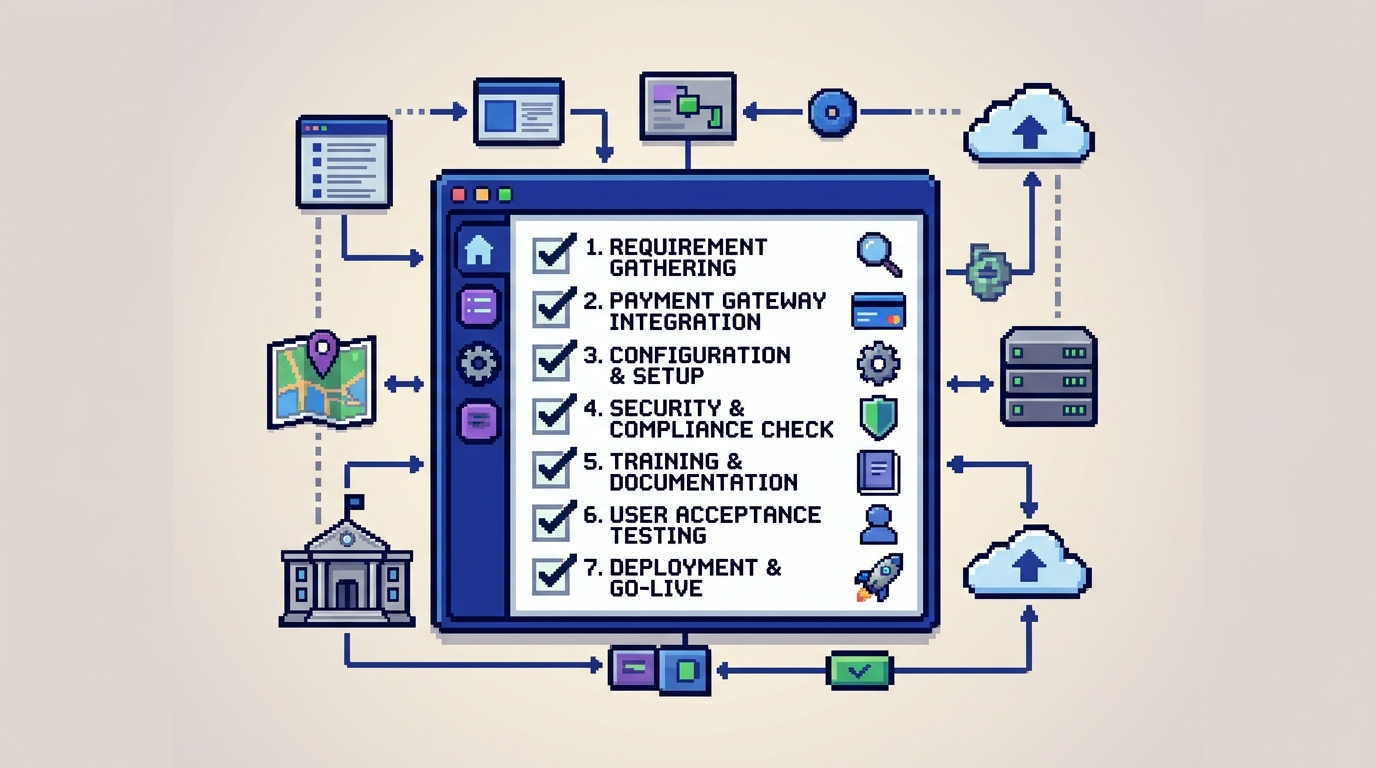
Step by Step Implementation Checklist
Use this checklist to plan, configure, and launch your permit payments platform.
1) Assemble the project team
- Sponsors: Planning or Building, Finance, IT
- Core roles: Permit lead, finance analyst, cashiering lead, IT admin
- Define RACI for fee changes, refunds, and audit reviews
2) Inventory fees and rules
- Collect current fee schedules, deposits, penalties
- Identify calculation logic and any zoning or by law triggers
- Note department ownership and GL mappings
3) Configure the platform
- Create fee items and associate GL codes
- Set tax handling, rounding rules, and receipt templates
- Define permissions for charge, refund, void, and override
4) Connect payments to workflows
- Link fees to application stages and statuses
- Configure auto assessments for common permits like decks or sheds
- Enable applicant self service payment from the portal
5) Set up security and audit controls
- Enforce MFA and least privilege roles
- Turn on immutable audit trail logging for payments and status changes
- Require notes and approval for refunds or waivers
6) Integrate with finance systems
- Configure nightly exports or API posting to ERP
- Validate revenue splits by department and fee type
- Test end to end from charge to bank settlement
7) Train staff and publish guidance
- Cashiering SOPs for intake, refunds, and receipts
- Reviewer instructions for fee triggers during zoning checks
- Applicant help pages explaining how to pay and get receipts
8) Pilot, validate, and go live
- Run a soft launch with low risk permits
- Reconcile daily for the first two weeks
- Collect feedback and finalize SOPs before full rollout
Applicant Experience and Change Management
A clear applicant journey reduces calls and speeds approvals.
Design a simple payment journey
- Display fees clearly before checkout with line items
- Offer real time receipts and email confirmations
- Show live status, including Submitted, Review, and Approved
Manage revisions and change requests
- Allow applicants to upload revised plans and pay deltas
- Keep a transparent timeline of notes and status updates
- Notify applicants of inspections, approvals, and payment events
Controls for Audit and Accountability
Auditors expect a complete history from application to settlement.
What to log in the audit trail
- Status changes, user actions, and timestamps
- Document uploads and system validations
- Charges, refunds, and receipts with references
Reports finance will use
- Daily settlement by payment method and fee type
- Outstanding balances and pending invoices
- Refund history with approving staff and reason codes
Leveraging AI in Digital Building Permitting
AI can reduce back and forth and ensure fees match scope.
Use cases that improve accuracy
- Permit document analysis to extract key data from PDFs and DWGs
- AI zoning compliance checks for setbacks, lot coverage, and height
- Auto triage to route low risk applications for faster review
How AI supports payments
- Automatically propose fees based on extracted project attributes
- Flag discrepancies when plan details and selected permit types differ
- Reduce manual entry to cut billing errors and rework
Example Configuration for Common Scenarios
Below are typical configurations that align payments with permitting stages.
Low risk residential deck permit
- Intake: Application fee due at submission
- Review: Auto approval when rules pass threshold
- Issuance: Permit fee auto assessed and paid before issuance
Commercial tenant improvement
- Intake: Plan check deposit at submission
- Review: Top up if area or complexity exceeds baseline
- Issuance: Final balance and inspection fees scheduled
Comparison of Integration Options
This table summarizes common integration patterns for permit payments.
| Approach | What it is | Pros | Cons | When to use |
|---|---|---|---|---|
| File export | Nightly CSV to ERP | Simple, low lift | Delay in posting | Early phase or small teams |
| API post | Real time GL posting | Faster, fewer mismatches | Requires IT resources | Medium to large municipalities |
| Gateway portal | External cashiering | Processor tools included | Weaker permit linkage | Temporary bridge during migration |
Canadian Data Residency and Security Checklist
Use this focused list to confirm compliance requirements.
Residency items to verify
- Application and payment data stored in Canada Central
- Backups and disaster recovery in Canada
- Vendor contractual commitment to residency
Security items to verify
- AES 256 at rest and TLS 1.2 or higher in transit
- Regular penetration testing and vulnerability scans
- Role based permissions with audit reporting
Metrics to Track Post Launch
Measure outcomes to prove value and guide improvements.
Operational metrics
- First attempt payment success rate
- Days from submission to approval for low risk permits
- Percentage of applications auto triaged correctly
Financial and compliance metrics
- Daily settlement variance and reconciliation time
- Refund rate and reasons distribution
- Audit findings closed on first response
How PermiPro Supports This Checklist
PermiPro provides an integrated approach that connects compliance checks, routing, and payments within one system.
Features aligned to municipal workflows
- AI powered document analysis extracts setbacks, lot coverage, and height
- Smart auto triage and rule based auto approval for low risk permits
- Integrated payments with receipts, pending and paid views, and change requests
Accountability and security
- Full audit trail and activity timeline with role based permissions
- Real time notifications for applications, inspections, and payments
- AES 256 encryption at rest and Canada Central data residency
Implementation Timeline Example
A staged approach reduces risk while building momentum.
0 to 30 days
- Policy alignment, fee inventory, security review
- Configure fees, permissions, and receipts
- Set up export or API with finance
31 to 60 days
- Pilot low risk permit categories
- Staff training and applicant guidance
- Daily reconciliation and SOP refinements
Key Takeaways
- Start with policy, GL mapping, and permissions before software settings.
- Tie fees to permit stages with clear applicant visibility and receipts.
- Use audit trails and dual approvals to control refunds and overrides.
- Prefer Canada Central residency, AES 256, and MFA for security.
- Add AI to reduce errors and move low risk permits faster.
A thoughtful implementation of a permit payments platform improves revenue integrity, transparency, and service quality for your community.