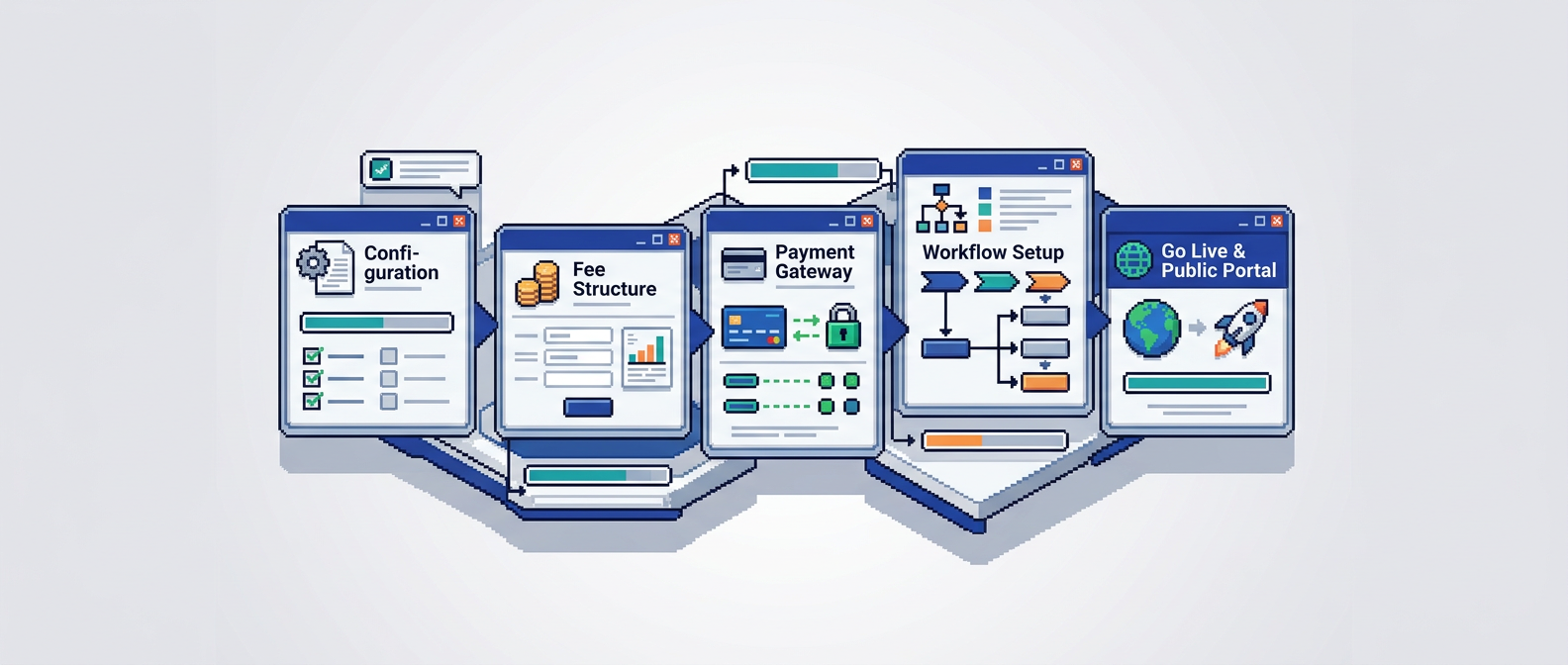
Municipal permitting moves at the speed of its slowest handoff. For many cities, that handoff is payments. When applicants must leave the system to pay or wait for manual reconciliation, reviews stall and staff time disappears.
This guide explains how municipal teams can plan, deploy, and scale a permit payments platform within digital building permitting workflows. It is for planning, building, and finance leaders who want secure, auditable payments embedded in reviews. The key takeaway: integrate payments tightly with application intake, triage, and approvals to cut cycle time and improve accountability.
What is a permit payments platform
A permit payments platform lets applicants submit fees directly inside your municipal permit management software while maintaining a complete audit trail. It connects application milestones to fee schedules, supports refunds and change requests, and reconciles transactions against permits.
Why municipalities need it now
- Backlogs grow when payments sit outside the review workflow.
- Finance requires reliable reconciliation and reporting by permit, fee type, and department.
- Applicants expect online, card, and account transfers with instant confirmation.
How it fits digital building permitting
- Fees surface during intake or after a rule-based review step.
- Payment completion can trigger smart routing or auto-approval for low risk cases.
- Every action writes to the audit timeline for accountability.
Choose a primary approach to implementation
Your approach should align with procurement, risk tolerance, and integration needs.
All-in-one permitting suite with native payments
- One vendor for intake, review, payments, and reporting.
- Simplifies user experience and audit management.
- Evaluate AI permitting software capabilities such as document analysis and auto-triage that interact with fees.
Permitting system plus embedded payment gateway
- Keep your current municipal permit management software.
- Use an integrated gateway via APIs or marketplace add-ons.
- Map fee events from the permitting app to payment intents and webhooks.
Phased pilot focused on a single permit type
- Start with high volume, lower risk permits like decks or fences.
- Limit scope to a few fee codes and departments.
- Gather metrics, refine rules, then expand.
Map workflows, fees, and approvals
Clear mapping reduces surprises during configuration.
Document your current state
- Intake sources: online forms, counter, email.
- Departments and handoffs: planning, building, fire, finance.
- Payment touchpoints: when fees are quoted, paid, and reconciled.
Define the future state with rules
- When to calculate fees: at submission, at completeness, at pre-issuance.
- What triggers payment requests: status change, zone compliance pass, inspection booking.
- Who can adjust fees: role-based permissions for staff.
Align fees to permit data
- Use AI document analysis or form fields to compute fees from area, height, or valuation.
- Configure fee tiers and caps to match by-laws.
- Validate exemptions and discounts with rules and approvals.
Integrate with compliance and auto-approval
Payments should work with, not separate from, compliance logic.
Link zoning and by-law checks to fee events
- After AI zoning compliance checks setbacks, lot coverage, and height, generate the correct fees.
- If a warning is raised, hold payment until a reviewer confirms the path forward.
Use smart auto-triage for low risk permits
- Route low risk applications to auto-approval once payment clears.
- Keep manual review for complex or flagged cases.
- Maintain a full audit trail of decisions, payments, and status changes.
Configure the payment experience
Design a clear, accessible journey for applicants and staff.
Payment methods, currencies, and receipts
- Offer card and account transfers commonly used in your jurisdiction.
- Provide itemized receipts that reference the permit number and fee codes.
- Enable partial payments if policy allows, with rules for minimums.
Applicant self-serve and change requests
- Let applicants view outstanding fees, pay, and upload revisions in one place.
- If staff issue a change request, recalculate fees and notify the applicant automatically.
- Keep a visible timeline of all actions.
Staff permissions and fraud controls
- Restrict who can create, adjust, waive, or refund fees.
- Log every change for audit and finance review.
- Use alerts for unusual patterns, like repeated refunds.
Connect finance, reporting, and reconciliation
Strong financial controls build trust and speed budget cycles.
Chart of accounts and revenue recognition
- Map each fee to a ledger account and department.
- Split revenue when multiple departments share a fee.
- Record settlement batches with dates and amounts.
Daily reconciliation and variance checks
- Automate deposit matching from the gateway to the permitting ledger.
- Flag discrepancies and assign tasks for review.
- Keep a dashboard for paid, pending, and refunded status.
Period close and audit readiness
- Export reports by permit, fee type, time period, and department.
- Provide an audit trail for every transaction and adjustment.
- Store signed receipts and refund approvals with the application.
Security, privacy, and data residency
Municipal data requires strong safeguards and clear residency.
Encryption and access controls
- Use AES-256 encryption at rest and TLS in transit.
- Apply role-based permissions aligned to least privilege.
- Log authentication, approvals, and data access.
Data residency and vendor assurances
- Confirm where applicant and payment data is stored.
- For Canadian municipalities, require Canada Central data residency.
- Review incident response and business continuity commitments.
Implementation plan step by step
A clear sequence reduces risk and keeps stakeholders aligned.
Step 1: Project setup and governance
- Form a cross functional team: planning, building, finance, IT, procurement, and communications.
- Define success metrics such as time to pay, approval time, and first time completeness.
- Establish change management and training plans.
Step 2: Requirements and fee inventory
- Collect fee schedules, exemptions, and calculation rules.
- Map workflows for selected permit types.
- Identify data sources needed for fee logic.
Step 3: Vendor configuration and sandbox testing
- Configure payment methods, fee mapping, and notifications.
- Test AI by-law compliance extraction that feeds fee calculators.
- Validate role permissions and refunds in sandbox.
Step 4: Pilot launch for one permit type
- Train staff and publish applicant guides.
- Monitor payments, exceptions, and reconciliation daily.
- Gather feedback and fix pain points quickly.
Step 5: Expand to additional permits
- Add more fee codes, departments, and integrations.
- Enable auto-approval for low risk workflows where policy allows.
- Standardize reports for finance and leadership.
Metrics that matter
Focus on a few leading indicators to prove value early.
Operational metrics
- Time from fee assignment to payment completion.
- Share of applications paid online vs counter.
- Review cycle time by permit type.
Quality and compliance metrics
- First time completeness rate.
- Number of fee adjustments and reasons.
- Audit findings or reconciliation variances.
Applicant experience metrics
- Payment completion rate on first attempt.
- Drop off points during payment and change requests.
- Support ticket volume related to fees.
Tool selection criteria and comparison
Use these criteria to compare options before procurement.
Core evaluation criteria
- Native integration with digital building permitting workflows.
- Rule based fee calculation and itemized receipts.
- Audit trail, role permissions, and data residency.
Quick comparison of common approaches
Here is a concise comparison to guide your selection.
| Approach | Integration effort | Audit strength | Auto approval fit | Data residency options |
|---|---|---|---|---|
| All in one permitting with payments | Low | High | Strong | Often configurable |
| Existing permitting plus gateway | Medium | Medium to high | Good with APIs | Depends on gateway |
| Custom build | High | Varies | Customizable | Requires careful design |
Example workflow for a low risk deck permit
A practical illustration shows how payments fit into the whole process.
Intake and AI document analysis
- Applicant uploads site plan and elevation files.
- AI extracts setbacks and lot coverage, marking pass or warning.
- System flags the application as low risk if all checks pass.
Fee calculation and payment
- Fee is calculated from permit type and size thresholds.
- Applicant pays online and receives an itemized receipt with permit reference.
- Status updates automatically and notifies staff.
Auto approval and audit trail
- If configured, the system issues approval once payment settles.
- Timeline logs the analysis results, payment, and issuance.
- Finance sees the transaction in the daily reconciliation queue.
Common risks and how to mitigate them
Plan for these issues early to avoid delays.
Incomplete fee schedules
- Mitigation: build a fee inventory with legal references and owners.
- Add a change log for council updates and by-law revisions.
Exceptions and edge cases
- Mitigation: define manual review paths and hold statuses.
- Provide staff tools for adjustments with mandatory reasons.
Applicant confusion during payment
- Mitigation: use plain language, clear steps, and progress indicators.
- Send real time email confirmations and next step instructions.
Training, go live, and continuous improvement
Sustain results with clear ownership and iteration.
Staff training and playbooks
- Role specific guides for fee reviews, refunds, and reports.
- Quick reference checklists for common scenarios.
- Hands on sandbox exercises with sample applications.
Applicant communications
- Update website pages, FAQs, and fee calculators.
- Provide a short how to video and a support contact.
- Announce timelines and any counter service changes.
Post launch reviews
- Weekly triage of exceptions and reconciliation issues.
- Monthly metric reviews with leadership.
- Quarterly policy and fee rule updates.
Where a modern platform fits
Look for a platform that unifies payments with reviews, compliance, and status tracking.
Capabilities to prioritize
- AI driven permit document analysis and fee calculators.
- Smart auto triage and rule based auto approval.
- Integrated payments, change requests, and notifications.
- Complete audit trail and granular permissions.
- Security with AES 256 at rest and clear data residency.
Example benefits in practice
- Faster approvals for low risk permits once payment posts.
- Fewer back and forth emails due to self serve status and receipts.
- Cleaner audits with a single timeline covering decisions and transactions.
Key Takeaways
- Integrate your permit payments platform directly into intake, review, and approvals.
- Tie fee logic to zoning and by law checks to reduce errors and rework.
- Use role based permissions and a complete audit trail for accountability.
- Start with a focused pilot, measure results, then scale to more permits.
- Prioritize security, encryption, and data residency for municipal requirements.
A well implemented payments workflow shortens permit cycles, improves transparency, and strengthens public trust.