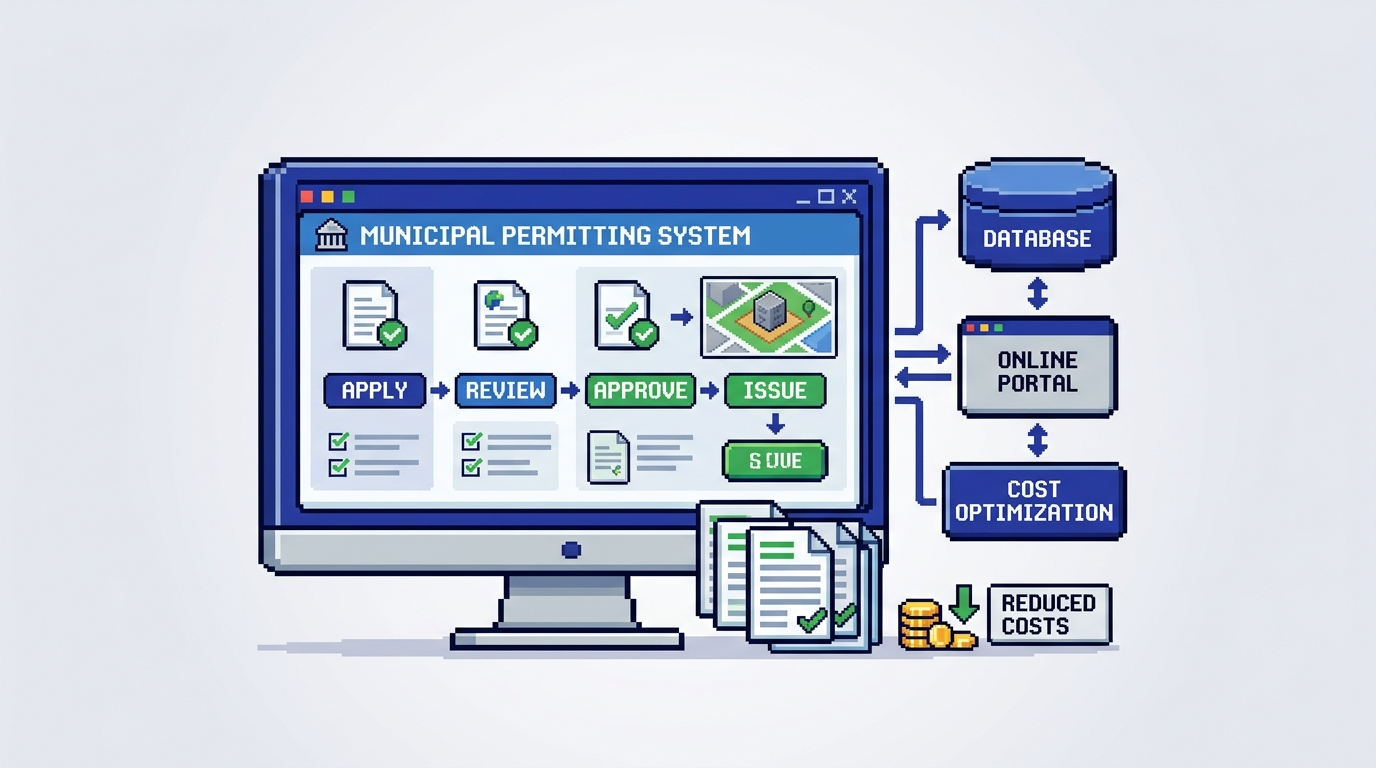
Municipal permitting teams are under pressure to cut backlogs without sacrificing compliance or accountability. Digital building permitting offers a practical path to faster reviews and clearer public service, but cost and change risk often stall momentum.
This guide explains how to implement digital building permitting cost effectively for municipal planning, building, and zoning departments. It covers cost drivers, procurement options, a phased rollout plan, governance and security considerations, and how AI permitting software can responsibly accelerate reviews. Key takeaway: start small with clear rules, measure outcomes, and expand as savings and service gains prove out.
What digital building permitting includes
Digital building permitting is more than a web form. It is an end to end workflow that spans intake, document validation, routing, review, payments, and auditability.
Core capabilities
- Online intake with checklists and required fields
- Document management for PDFs, DWGs, and images
- Routing to planning, zoning, and building review
- Status tracking and applicant notifications
- Integrated payments and receipts
- Inspection scheduling and outcomes logging
- Audit trails and role based permissions
Why it reduces cost
- Fewer incomplete applications through structured intake
- Less manual triage due to rules based routing
- Shorter review cycles as information is in one system
- Lower administrative overhead for payments and receipts
- Clearer accountability reduces rework and disputes
Cost breakdown for digital building permitting
Understanding total cost helps councils and departments budget realistically and avoid surprises.
One time costs
- Discovery and configuration: process mapping, form design, rules setup
- Data migration: historical records and active applications
- Integrations: payment gateway, GIS, email, sometimes SSO
- Training and change management: staff and applicant guidance
- Security review and procurement administration
Ongoing costs
- Subscription or license fees for municipal permit management software
- Payment processing fees and merchant costs
- Support and maintenance, including minor enhancements
- Cloud storage and compute for document analysis
- Periodic rule and by law updates
Cost levers you can control
- Phased scope to reduce initial configuration
- Reuse of standard form templates and rules libraries
- Choosing built in payments to avoid custom integration
- Targeted migration of only active and recent files
- Clear RACI and playbooks to cut retraining time
Building a cost effective implementation plan
A measured rollout reduces risk while building internal confidence.
Phase 1 pilot scope
- Choose low risk, high volume permits such as fences, decks, or HVAC replacements
- Configure intake checklists and required documents
- Enable rules based routing and status notifications
- Connect payments for application fees and simple refunds
Phase 2 expand to moderate complexity
- Introduce zoning checks like setbacks, lot coverage, and height
- Add departmental assignments and SLA alerts
- Start limited rule based auto approval for fully compliant, low risk cases
- Train inspectors on mobile status updates and final sign off
Phase 3 change management and analytics
- Establish a feedback cadence with reviewers and applicants
- Monitor cycle times, first time completeness, and resubmission rates
- Publish service dashboards to leadership and council
- Tune rules to raise auto approval accuracy while keeping safeguards
Using AI permitting software responsibly
AI can accelerate reviews when it operates within clear municipal policies.
Practical AI use cases
- Permit document analysis that extracts key metrics from plan sets
- AI zoning compliance checks for setbacks, lot coverage, and height
- Highlighting warnings where proposals are near limits
- Auto triage to route by permit type, location, or risk profile
Safeguards for trust and accountability
- Rule based auto approval only for specific, low risk scenarios
- Transparent audit trail showing AI findings and human decisions
- Role based permissions to control who can approve
- Clear exception paths for edge cases and appeals
Security, residency, and procurement criteria
Municipal data requires strong controls to maintain public trust and meet policy.
Security must haves
- Encryption at rest and in transit, such as AES 256 at rest
- Granular permissions and SSO where available
- Detailed activity timeline for every action
- Vendor security documentation and incident response processes
Data residency and records requirements
- Storage within your jurisdictional requirements, such as Canada Central for Canadian municipalities
- Retention settings that align with municipal bylaws and records schedules
- Export capabilities for open records requests and audits
Budget models and buying options
Selecting the right commercial model can lower total cost and ease approval.
Common pricing approaches
- Per permit or volume tiered subscriptions
- User or seat based licensing for internal staff
- Hybrid models with base subscription plus overage
How to evaluate TCO
- Include training time and internal process changes
- Consider payment processing economics and reconciliation effort
- Estimate savings from reduced resubmissions and shorter cycle times
- Account for avoided costs like print handling and storage
Implementation timeline and resourcing
Plan for a realistic schedule that fits municipal calendars and busy seasons.
Sample 90 day pilot plan
- Weeks 1 to 3: discovery, form and document checklist definition
- Weeks 4 to 6: configuration, payments setup, and initial testing
- Weeks 7 to 8: staff training and applicant guidance materials
- Weeks 9 to 12: soft launch, measure metrics, tune rules
Team roles
- Project sponsor to clear decisions and report to leadership
- Product owner from permitting to define workflows
- Vendor implementation specialist and solutions engineer
- Change lead to handle training and communications
Measuring success and ROI
Tie outcomes to metrics council members and residents understand.
Operational metrics
- First time completeness rate at intake
- Average review duration by department
- Percentage of low risk auto approvals
- Resubmission and change request counts
Service and accountability metrics
- Applicant satisfaction from brief post decision surveys
- On time performance against service targets
- Payment reconciliation time and error rates
- Audit trail completeness for sampled files
Example workflow with rules and safeguards
Below is a reference flow that balances efficiency with control.
Intake and validation
- Applicant uploads PDFs or DWGs up to standard size limits
- System checks required documents and fee selection
- Missing items trigger a change request before routing
Routing and review
- Auto triage assigns zoning checks to planning and structural to building
- AI extracts setbacks, lot coverage, and height from plan sheets
- Obvious passes and near limit warnings are flagged for reviewer
Cost comparison of rollout approaches
This table contrasts three common paths to digital building permitting.
Here is a concise comparison to guide your decision:
| Approach | Upfront cost | Time to launch | Risk profile | Fit |
|---|---|---|---|---|
| Big bang all permits | High | Long | Higher | Large cities with mature PMO |
| Phased by permit type | Medium | Moderate | Lower | Most municipalities |
| Pilot then replicate | Low | Fast | Lowest | Small to mid sized towns |
Selecting a municipal permit management software partner
Choosing the right partner improves outcomes and reduces lifecycle cost.
Evaluation checklist
- Clear support for your permit types and inspections
- Built in payments and receipts with exportable reports
- Configurable rules for routing and auto approval
- Evidence of secure operations and residency alignment
Questions to ask vendors
- How do you log every action in the audit trail
- What controls prevent unauthorized approvals
- How are zoning and by law rules configured and updated
- What is the typical time to first permit in production
Where AI fits within rules based auto approval
Used carefully, AI and rules reduce repetitive work while keeping human oversight.
When to auto approve
- Low risk permits with fully met checklist items
- Clear zoning compliance within defined thresholds
- No external referrals required
When to escalate
- Near limit warnings on height or coverage
- Conflicting plan sheets or missing signatures
- Sensitive heritage or environmental areas
Change management with applicants and staff
Transparent communication avoids confusion during transition.
Applicant experience
- Plain language checklists and tooltips on the portal
- Real time status updates from Submitted to Approved
- Clear guidance for payments, refunds, and resubmissions
Staff enablement
- Role based training focused on day to day tasks
- Quick reference guides and recorded demos
- Office hours during the first two cycles for questions
Canadian municipalities and residency alignment
Residency and encryption policies are often decisive in procurement.
What to confirm
- Data stored in Canada Central with documented controls
- Encryption standards at rest and in transit
- Vendor audit evidence and change control process
Benefits to operations
- Faster vendor approval through alignment with policy
- Reduced legal review time for data sharing agreements
- Clearer messaging to residents about data stewardship
Putting it together with an example scenario
Consider a deck permit pilot in a mid sized municipality.
Day 0 to 30 setup
- Configure a deck permit application with required drawings and site plan
- Set zoning rules for setbacks and lot coverage
- Connect payments and define fee schedule
Day 31 to 90 outcomes
- First time completeness rises as checklists block missing files
- Review time drops with auto triage and clear routing
- Low risk, fully compliant decks receive same day decisions
How PermiPro supports cost effective rollouts
PermiPro aligns with the phased, rules first approach described above.
Capabilities relevant to this guide
- AI powered document analysis that extracts setbacks, lot coverage, and height from PDFs and DWGs
- Smart auto triage with rule based auto approval for low risk permits
- Integrated payments, applicant change requests, and live status tracking
- Comprehensive audit trail, role based permissions, and real time email notifications
Security and residency
- Encryption at rest using AES 256 and secure transit
- Canada Central data residency for municipal compliance
- Configurable roles and full activity timeline for accountability
Key Takeaways
- Start with a focused pilot and expand as metrics validate savings
- Combine structured intake, routing rules, and selective auto approval
- Use AI for document analysis and zoning checks with clear safeguards
- Prioritize security, residency, and audit trails in vendor selection
- Track cycle time, completeness, and auto approval rates to prove ROI
A careful, phased approach to digital building permitting reduces risk, speeds decisions, and builds trust with residents and council.