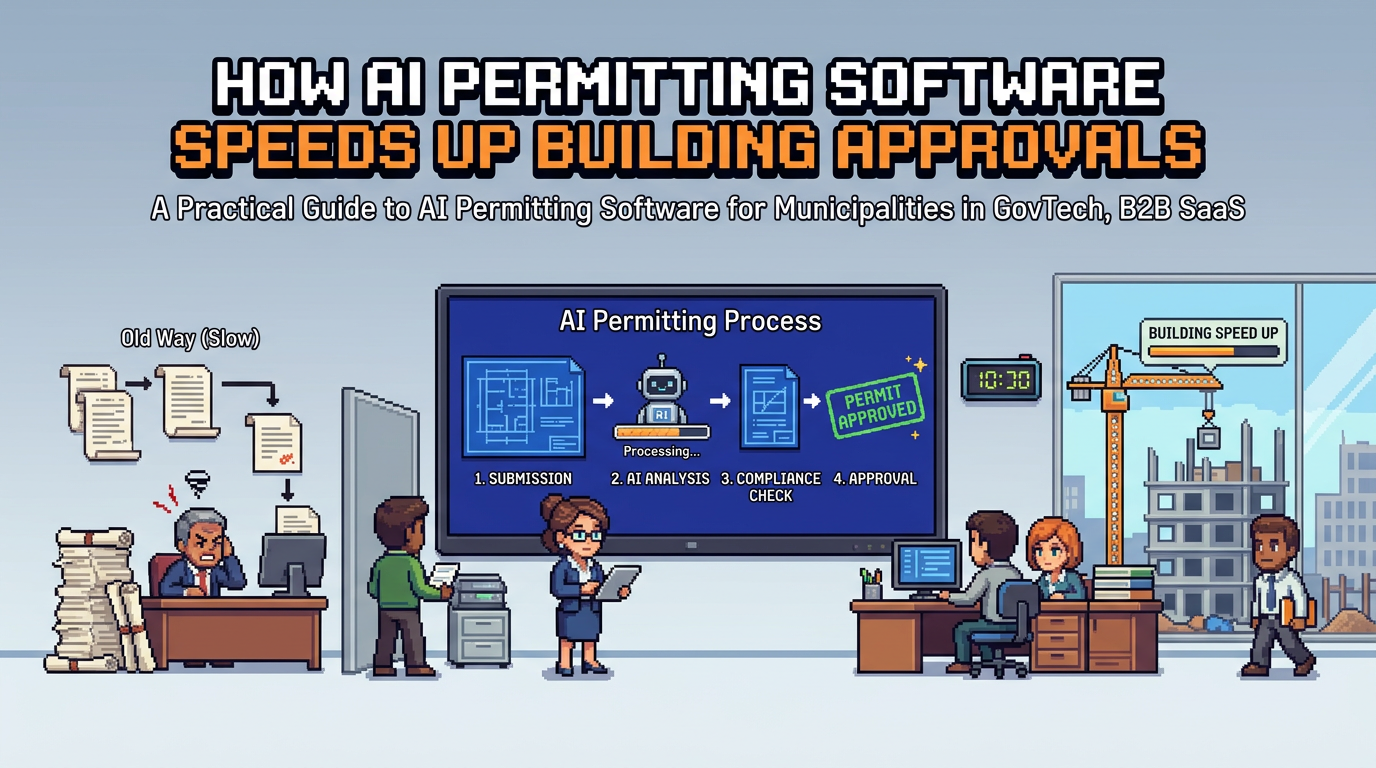
City permitting teams face rising application volumes, tight service targets, and heightened accountability. Manual checks across drawings and forms slow everything down.
This guide explains how AI permitting software accelerates intake, compliance review, routing, and approvals for municipalities. It is written for planning, building, and zoning leaders evaluating digital building permitting. The key takeaway: applied correctly with rules and safeguards, AI cuts review time while strengthening compliance and auditability.
What is AI permitting software and how it works
AI permitting software uses machine learning and rules engines to extract data from plans and forms, validate it against by-laws, and route work to the right reviewers.
Core capabilities in plain terms
- Document understanding: Reads PDFs, DWGs, and images to pull measurements and attributes like lot area, setbacks, and height.
- Policy rules: Compares extracted values to zoning and building constraints to surface passes, warnings, or required changes.
- Workflow automation: Triage by type, risk, and completeness, then assign to the correct department.
- Decision support: Highlights issues, suggests next steps, and enables rule-based auto-approval where eligible.
Where AI adds value vs rules alone
- Tolerant to real plan formats with variations in labels and layouts.
- Finds values across multiple sheets and cross-checks consistency.
- Flags near-threshold conditions for human attention.
Key components of modern municipal permit management software
A complete platform combines AI with familiar permitting controls so staff keep oversight and applicants stay informed.
Intake and document management
- Applicant portals for self-serve submission, status, and payments.
- Drag-and-drop uploads for PDF, DWG, JPG up to practical size limits.
- Required document checklists by permit type.
Routing, review, and communication
- Smart triage based on application data and risk category.
- Departmental assignment with SLAs and queues.
- Integrated change requests and messaging to keep context in one place.
Decision, issuance, and auditability
- Rule-based decisions for low-risk permits.
- Auto-generated conditions and standard notes.
- Full activity timelines for accountability and audits.
Practical workflow: from submission to decision
Below is a typical end-to-end flow that cities can implement without changing core policy.
1) Submission and auto-triage
- Applicant selects permit type and uploads plan sets.
- AI extracts key values and checks for completeness.
- The system assigns the application to Planning or Building based on type and location overlays.
2) AI compliance analysis
- Setback extraction: e.g., front 6.2 m recorded and validated against the minimum.
- Lot coverage calculation: e.g., 32 percent pass within the zone limit.
- Height proximity flag: e.g., 9.1 m near 9.5 m maximum triggers a warning for reviewer attention.
3) Reviewer action and change handling
- Reviewer sees passes and warnings in context with page references.
- Requests a revised site plan if needed; applicant uploads and AI re-checks.
- All interactions are logged in the audit trail.
4) Decision and issuance
- Low-risk, fully compliant applications can be auto-approved under pre-set rules.
- Others proceed to human decision with standardized conditions.
- Applicant receives receipts, permit documents, and next steps.
Designing rule-based auto-approval with safeguards
Rule-based auto-approval can deliver material time savings while maintaining public trust if designed with clear boundaries.
Where auto-approval fits
- Low-complexity residential permits such as decks, fences, sheds, and minor interior work.
- Situations with straightforward zoning checks and no variances requested.
- Applications meeting completeness and fee payment criteria.
Safeguards municipalities expect
- Explicit eligibility matrix by permit type and risk profile.
- Threshold-based warnings that always require human review when values are close to limits.
- Instant audit logging for each auto-approval with the evaluated rules and evidence snapshots.
Automating zoning and by-law checks from plan sets
AI zoning compliance is a high-impact use case because it removes repetitive manual measurements and calculations.
What AI can reliably extract today
- Lot area, building footprint, and calculated coverage.
- Setbacks by side with unit normalization and page references.
- Stated and derived building height from elevations or sections.
How to keep accuracy high
- Provide clear document requirements and sample templates.
- Use human-in-the-loop review for edge cases and near-threshold results.
- Continuously tune rules with feedback from accepted and rejected applications.
Integrated payments and change management in digital building permitting
Payments and changes often fragment across email and external portals. Keeping them in the same workflow improves speed and control.
Payments inside the permit record
- Applicants pay fees directly at submission, during review, and prior to issuance.
- Receipts, refunds, and revenue reports are available without exporting data.
- Pending vs paid balances are visible to both staff and applicants.
Managing revisions without losing context
- Applicants can submit change requests tied to a specific review comment.
- New documents trigger targeted re-checks and update the activity timeline.
- Version history makes it easy to compare old and new plan pages.
Accountability features that build public trust
Transparent processes reduce disputes and speed follow-up work.
Audit trails and role-based controls
- Every status change, document verification, and note is logged with timestamp and user.
- Granular permissions limit who can view, edit, or approve applications.
- Consistent records simplify FOI requests and internal audits.
Notifications and live status tracking
- Real-time email updates for submissions, payments, inspections, and decisions.
- Applicant and staff dashboards show Submitted, Review, and Approved stages.
- Departmental cues help supervisors balance workloads.
Security and residency considerations for Canadian municipalities
Municipal data requires strong protection and alignment with procurement and privacy expectations.
Core security practices
- Encryption at rest using AES 256 and encrypted transport.
- Regular access reviews and least privilege role design.
- Continuous monitoring and secure software development practices.
Data residency and procurement alignment
- Hosting in Canada Central to meet residency requirements.
- Clear incident response and audit documentation for vendor due diligence.
- Contractual commitments on data ownership and exit procedures.
Measuring impact without hype
Focus on metrics that matter to residents and council while reflecting reviewer safety and compliance.
Throughput and speed
- Median time from submission to first review assignment.
- Percentage of low-risk permits auto-approved under rules.
- Rework rate due to missing or incorrect documents.
Quality and compliance
- Rate of compliance issues caught at intake vs late in review.
- Share of applications with complete audit logs and consistent decisions.
- Staff satisfaction with queue clarity and workload balance.
Vendor comparison: fit by municipal use case
Use this quick view to compare common options in the market. Always validate with demos and references.
Here is a concise table mapping common vendor strengths to typical municipal needs.
| Vendor category | Best fit use case | Strengths | Considerations |
|---|---|---|---|
| Established suites (e.g., Accela, OpenGov) | Large cities with complex portfolios | Broad modules, integrations, mature procurement history | Heavier implementations, configuration effort |
| Cloud-first permitting (e.g., Cloudpermit, Clariti, CityView) | Small to mid-sized municipalities | Faster deployment, modern UX | Varies in depth of AI and auto-approval tooling |
| AI-forward platforms (e.g., PermiPro) | Teams prioritizing AI document analysis and rule-based auto-approval | Plan data extraction, smart triage, Canadian data residency, audit trail | Ensure policy mapping and change management support |
Implementation roadmap for municipal teams
A phased approach reduces risk and builds internal confidence.
Phase 1: Foundation
- Digitize intake, document management, and payments.
- Stand up role-based permissions and audit logging.
- Import permit types, fees, and checklists.
Phase 2: AI-assisted review
- Enable document analysis for zoning checks on a subset of permit types.
- Pilot with reviewers and measure accuracy and time saved.
- Tune rules, add thresholds and required human sign-off for edge cases.
Phase 3: Rule-based auto-approval
- Define eligibility for low-risk permits with council and leadership alignment.
- Turn on auto-approval with detailed logging and sampling audits.
- Expand to more types as confidence grows and metrics hold.
Case example: low-risk deck permit
A homeowner submits a deck permit with a site plan and elevations.
What happens in the system
- AI extracts front setback at 6.2 m and marks Pass against a 6.0 m minimum.
- Lot coverage calculates to 32 percent and passes the zone limit.
- Height reads at 9.1 m with a warning given a 9.5 m maximum.
Outcome for staff and applicant
- The application is flagged Low Risk and routes to Planning for a quick check.
- Because all values meet rules and payment is complete, the permit is eligible for auto-approval.
- Applicant receives the permit and a receipt, with a full timeline in the record.
How PermiPro supports these workflows
While multiple vendors can deliver digital building permitting, PermiPro focuses on AI-first review with strong municipal controls.
Capabilities aligned to municipal needs
- AI document analysis that pulls setbacks, lot coverage, and height from PDFs, DWGs, and images.
- Smart auto-triage and rule-based auto-approval to reduce repetitive work.
- Integrated payments, change requests, and live status tracking.
Governance and security posture
- Comprehensive audit trail with activity timelines and real-time notifications.
- Granular role-based permissions to separate intake, review, and approval powers.
- AES 256 at rest with Canada Central data residency to align with procurement needs.
Key Takeaways
- AI permitting software speeds intake, triage, and low-risk approvals while improving compliance checks.
- Rule-based auto-approval works best with clear eligibility, thresholds, and audit logs.
- Integrated payments and change requests keep context in one system and cut delays.
- Audit trails, permissions, and Canadian residency build accountability and trust.
- Start with phased adoption, measure impact, and expand as accuracy and confidence grow.
Modernizing permitting is a service improvement for residents and staff. With clear rules and safeguards, AI can help cities deliver faster, fairer, and more transparent approvals.