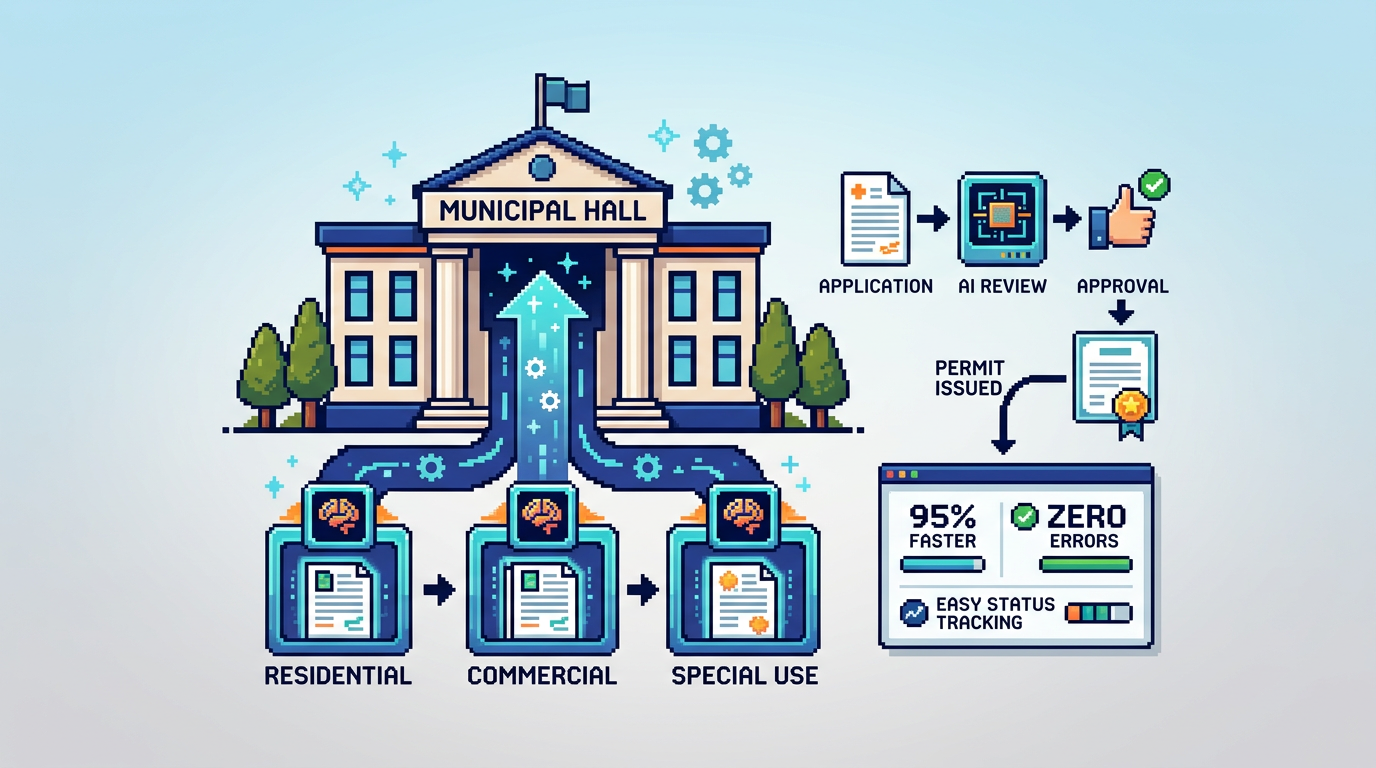
Municipal permitting should not feel like a maze. With AI permitting software, departments can move from slow, manual checks to fast, consistent reviews that stand up to scrutiny.
This guide explains how AI permitting software works, who benefits across municipal teams and applicants, and how to roll it out safely with rules, auditability, and Canadian data residency. If you manage planning, building, or zoning workflows, the key takeaway is simple: start with low risk permits, codify rules, and use audit trails to scale trust.
What AI Permitting Software Actually Does
AI permitting software applies document understanding and rule evaluation to speed intake, triage, and approvals while preserving accountability.
Core capabilities to expect
- Document analysis that extracts zoning and by law data from PDFs and DWGs
- Rule evaluation for setbacks, lot coverage, and height against municipal standards
- Smart routing that assigns applications to the right department based on scope
- Rule based auto approval for qualified, low risk permits
- Integrated payments, receipts, and revenue tracking
- End to end audit trail with timestamps, actors, and actions
Typical inputs and outputs
- Inputs: site plans, elevations, surveys, application forms, fee schedules
- Outputs: pass or flag on each rule, risk score, routing decision, fee calculation, approval or request for changes
Why Municipalities Adopt Digital Building Permitting
Digital building permitting reduces backlogs, improves service levels, and hardens compliance controls without hiring surges.
Measurable outcomes
- Shorter cycle times for simple permits by removing repetitive manual checks
- Higher first time completeness due to automated document validation
- Fewer handoffs with integrated payments and change requests
- Improved transparency through live status and audit logs
Stakeholder benefits
- Planners and building officials: consistent rule checks and fewer re reviews
- Finance teams: clearer fee collection and reconciliation
- Applicants: self serve uploads, status visibility, and faster approvals
From Rules to Results: Designing Auto Approval Safely
Auto approval in municipal permit management software must be built on explicit rules and safeguards. A good approach makes each decision explainable and reversible.
Define your rule inventory
- Zoning geometry: front, side, and rear setbacks; lot coverage; height
- Use permissions: permitted, conditional, or prohibited uses by district
- Document completeness: required forms, stamps, insurance, drawings
- Fee logic: base fees, per square meter fees, surcharges
Safeguards that build trust
- Thresholds and buffers, e.g., warn at 95 percent of max height
- Eligibility criteria that restrict auto approval to low risk permit types
- Mandatory human review for exceptions or near threshold values
- Full audit trail recording rule versions and inputs used in decisions
How AI Reads Plans and Checks By Laws
Modern AI can parse PDFs and DWGs to extract measurements and labels, then test them against zoning and by law tables.
Document analysis in practice
- Detects labels like Setback Front 6.2 m and maps them to rules
- Calculates lot coverage from footprint area and parcel area
- Flags proximity to limits, e.g., height at 9.1 m vs 9.5 m maximum
Handling ambiguity and revisions
- Version control ensures each upload is tied to a decision
- Change requests prompt re evaluation with updated drawings
- Warnings and flags require reviewer sign off before proceeding
Smart Triage and Departmental Routing
Accurate routing reduces queues and misassignments that slow reviews.
Inputs that drive routing
- Project type and scope, e.g., deck, accessory building, addition
- Zoning district and overlays that require planning sign off
- Risk score derived from rule outcomes and missing documents
Routing outcomes
- Direct auto approval for clean, low risk applications
- Assignment to Planning for zoning checks or to Building for structural review
- Parallel tasks for payments, inspections, or heritage clearances
Integrated Payments and Change Management
Bringing payments and applicant communications into the same system removes friction and supports faster cycle times.
Payment workflow essentials
- Itemized fee calculation with receipts and refunds
- Status aware payment gating, e.g., fees due before issuance
- Revenue dashboards for paid and pending amounts
Managing applicant changes
- Structured change requests that capture what and why
- Re run of rules on updated documents with recorded diffs
- Notifications to all parties on required actions and outcomes
Accountability by Design: Audit Trails and Permissions
Strong governance features ensure every decision is explainable and permissioned.
What to log in the audit trail
- Status changes, document verifications, and user comments
- Rule versions, inputs, and outputs for each decision
- Payment events and receipt issuance
Role based controls to enforce duties
- View and edit rights by department and role
- Approval authority limited to authorized reviewers
- Read only access for observers and auditors
Canadian Data Residency and Security Expectations
Municipalities in Canada often require data residency and clear security controls.
Security practices to look for
- AES 256 encryption at rest and TLS in transit
- Regular backups, monitoring, and incident response plans
- Least privilege access and audit logging across services
Why Canada Central residency matters
- Aligns with municipal procurement and privacy requirements
- Simplifies compliance reviews and resident data protections
- Reduces latency for staff across Canadian regions
Building Your Implementation Plan
A phased rollout limits risk and builds confidence across teams and the public.
Phase 1: Foundation and low risk permits
- Digitize intake for simple permits like decks or fences
- Define and test rules with buffer based warnings
- Enable integrated payments and receipts
Phase 2: Expand rules and routing
- Add more permit types and departmental workflows
- Turn on auto approval for well defined, low risk scenarios
- Train staff on audit trails and exception handling
Phase 3: Optimize and report
- Track cycle times, first time completeness, and approval rates
- Tune rules based on flagged cases and reviewer feedback
- Publish service level metrics to improve public trust
Example Rule Outcomes and Reviewer View
These examples illustrate how AI permitting software presents decisions for clarity and speed.
Example pass and warning states
- Setback Front: 6.2 m, Pass
- Lot Coverage: 32 percent, Pass
- Height: 9.1 m, Warning, near 9.5 m maximum
Reviewer actions available
- Approve low risk applications that meet all criteria
- Request changes when warnings or missing documents appear
- Escalate to manual review for complex or ambiguous cases
Selecting the Right Platform: Fit by Use Case
Use capabilities and safeguards to evaluate options for your municipality.
Must have evaluation criteria
- Accurate plan reading for PDFs and DWGs up to common file sizes
- Transparent rules with version control and auditability
- Canadian data residency with strong encryption and backups
- Integrated payments and applicant change requests
Quick comparison of common platform traits
Below is a concise feature comparison to guide fit by use case.
| Capability | AI document analysis | Rule based auto approval | Integrated payments | Full audit trail | Canada data residency |
|---|---|---|---|---|---|
| Core requirement | High | High | Medium | High | High |
| Low risk permits | Critical | Critical | Helpful | Critical | Recommended |
| Complex reviews | Helpful | Limited | Helpful | Critical | Recommended |
Where PermiPro Fits for Canadian Municipalities
PermiPro focuses on AI document analysis, rule based auto approval, and accountability controls aligned with municipal expectations in Canada.
Strengths for municipal workflows
- AI extracts setbacks, lot coverage, and height from PDFs and DWGs
- Smart triage routes applications to the right department
- Integrated payments, change requests, and live status tracking
- Comprehensive audit trail with granular permissions
- AES 256 at rest with Canada Central data residency
Best fit scenarios
- Digital building permitting for low risk permits with clear rules
- Municipal teams seeking measurable cycle time and backlog reduction
- Departments that need transparent, explainable decisions for audits
Implementation Checklist for Project Leads
Use this checklist to structure your first 90 days.
Policy and rules
- Confirm eligible permit types for auto approval
- Set thresholds and buffers for warnings versus fails
- Approve rule governance and versioning process
Process and training
- Map intake, routing, and payment flows
- Train reviewers on exception handling and audit review
- Publish a public guide for applicants
Data and security
- Validate Canada Central residency and encryption practices
- Configure role based permissions and access reviews
- Establish incident response and backup verification
Key Takeaways
- Start with low risk permits and codified rules to unlock early wins
- Use audit trails and permissions to sustain accountability at scale
- Integrate payments and change requests to reduce handoffs
- Prioritize Canadian data residency and encryption for compliance
- Measure cycle time and first time completeness to guide tuning
Adopting AI permitting software is a pragmatic path to faster, more consistent service that earns public trust while protecting accountability.