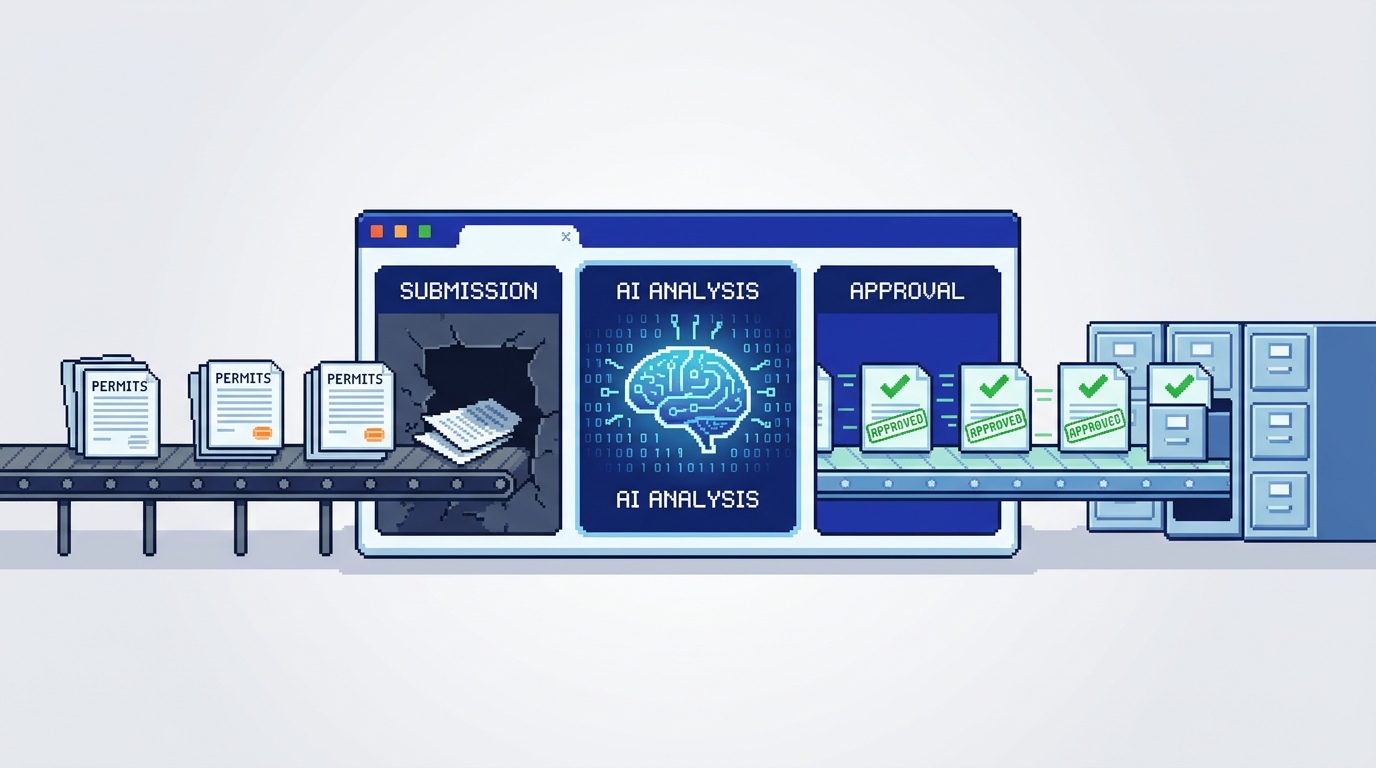
Municipal permitting does not need to be slow. With the right workflows and tooling, reviewers can focus on judgment calls while routine checks run in the background.
This guide explains how AI permitting software accelerates intake, verifies zoning and by-law compliance, supports auto-approval, and improves payments and auditability. It is for planning, building, and zoning teams seeking faster, more accountable reviews. Key takeaway: pair AI document analysis with clear rules and safeguards to cut cycle time while strengthening compliance.
What is AI permitting software and why it matters
AI permitting software applies machine intelligence to read application documents, extract key compliance data, and route work to the right reviewers. Done right, it shortens queues, reduces back-and-forth with applicants, and makes outcomes more consistent.
Core capabilities to expect
- Document understanding that pulls values such as setbacks, lot coverage, and proposed height from PDFs, DWGs, and images
- Smart intake that checks completeness and prompts for missing items
- Rules engines for eligibility checks and auto-approval of low risk permits
- Integrated payments and receipts within the same workflow
Outcomes municipalities can measure
- Shorter end to end review times on standard permits
- Higher first submission completeness from applicants
- Fewer misrouted files and handoffs
- Better accountability through an audit trail of every action
How AI document analysis accelerates compliance checks
The slowest part of many reviews is finding and validating numbers across drawings and forms. AI can reliably surface the data reviewers look for on every application.
Extracting zoning and by-law values
Trained models read plan sets to locate:
- Setbacks by frontage, side, and rear
- Lot coverage as a percent of parcel area
- Building height and storeys
- Dimensions for decks, sheds, and accessory structures These values are presented alongside the applicable limits so reviewers see pass, fail, or near threshold warnings without hunting through pages.
Handling real file types from applicants
Applicants rarely submit a single tidy PDF. Modern tools must parse PDFs, DWGs, and JPGs up to common municipal size limits. A drag and drop upload with immediate analysis helps staff and applicants spot issues early.
Rule based auto approval with safeguards
Auto approval is most effective on repeatable, low risk cases where rules are clear. The goal is to remove manual touch on straightforward files while preserving reviewer control on edge cases.
Designing clear eligibility rules
- Define permit categories appropriate for automation such as standard decks or minor accessory structures
- Express rules as plain conditions like rear setback greater than or equal to 7.5 m and height less than or equal to 9.5 m
- Include exclusions that force manual review such as heritage overlays or floodplain flags
Safety checks before issuing
- Require that all required documents are present and machine checks pass
- Present a summary screen with extracted values and pass or fail status for a final human confirmation when needed
- Log every automated decision to the audit trail with the rule that fired
Smart triage and departmental routing
Even when auto approval is not used, AI triage reduces delays by sending work to the right team with the right priority.
Intake classification
- Identify the application type from forms and attachments
- Flag potential complexity such as variances or exceptions
- Label risk level based on rules and past outcomes
Routing and assignment
- Map types and risk levels to departments such as Planning, Building, or Fire
- Auto assign to available reviewers with role based permissions
- Trigger notifications and timers so nothing stalls in a queue
Integrated payments and change management
Keeping fees, receipts, and revisions inside the same system reduces back and forth email chains and revenue reconciliation headaches.
Payments in context
- Show required fees based on application type and schedule
- Accept payment directly on the application record and issue receipts
- Track paid and pending status in dashboards for finance visibility
Managing applicant revisions
- Let applicants submit change requests with updated drawings
- Maintain a versioned document history and highlight differences
- Preserve the review context so staff see what changed and why
Accountability with audit trails and permissions
Transparency builds trust with council, applicants, and the public. Strong audit controls are as important as speed.
End to end activity history
- Log status changes from Submitted to Review to Approved
- Record who viewed, edited, or approved each step
- Capture system actions such as document verification and rule evaluations
Granular role control
- Define who can view, comment, approve, or delete records
- Use roles for reviewers, supervisors, and external inspectors
- Align permissions to internal policy and union agreements
Security, privacy, and Canadian data residency
Municipal data requires careful handling. Security and residency choices should be explicit and documented.
Security practices to require
- AES 256 encryption at rest and TLS in transit
- Regular access reviews and least privilege defaults
- Immutable audit logs and reliable backup policies
Canadian data residency considerations
- Store application data in Canada Central to align with procurement and privacy requirements
- Document vendor sub processors and regions
- Provide export options for records retention schedules
Practical workflow example from intake to approval
Below is a sample path that illustrates where automation adds speed while maintaining control.
Step by step flow
- Applicant uploads a deck permit package with PDF plans and a DWG site plan.
- AI extracts setbacks, lot coverage, and height. Setback Front 6.2 m Pass. Lot Coverage 32 percent Pass. Height 9.1 m flagged as close to the 9.5 m limit.
- Completeness check confirms required documents. Risk is Low.
- Rules allow auto approval if all passes and no overlays. A reviewer sees a summary with pass statuses and confirms issue permit.
- Payment is collected in platform. Receipt is sent automatically.
- Audit trail records document verification, status changes, and the auto approval rule that fired.
Benefits realized
- Reviewer time shifts from hunting numbers to validating context
- Applicant receives faster decisions with fewer emails
- Finance and leadership see live revenue and throughput metrics
Selecting AI permitting software for your municipality
Procurement decisions hinge on fit for workflow, security, and adoption. Use concrete criteria and request hands on demos.
Evaluation checklist
- Accuracy of document extraction on your real plan sets
- Clarity of rule configuration and auto approval controls
- Depth of audit trail and role based permissions
- Payments integration and reconciliation reporting
- Data residency, encryption, and vendor transparency
Questions to ask vendors
- Which file types and sizes are supported for uploads
- How are model updates validated against municipal rules
- Can we export audit logs and application data on demand
- What options exist for departmental routing and queues
Comparing common platform capabilities
Use this quick view to compare features that matter for municipal teams.
The table below summarizes capabilities often evaluated across vendors.
| Capability | AI extraction of zoning data | Auto triage and routing | Rule based auto approval | Integrated payments | Audit trail depth | Data residency options |
|---|---|---|---|---|---|---|
| Must have | Yes, on PDFs and DWGs | Yes | Yes, with safeguards | Yes | Full timeline with user and system actions | Country level control |
| Nice to have | Image parsing for JPGs | Load balancing by team | Human in the loop confirmation | Refunds and partial payments | Exportable logs | Regional redundancy |
| Red flag | Manual data entry required | Single queue only | Hidden or hard coded rules | External payment only | Limited or editable logs | Unclear storage regions |
Implementation tips for faster time to value
Rollouts succeed when teams start small, measure, and iterate with clear ownership.
Start with low risk categories
- Choose permits like simple decks or sheds
- Configure rules and test against archived applications
- Pilot with a small group of reviewers before scaling
Measure and communicate outcomes
- Track median days from submission to decision
- Monitor first submission completeness and rework rates
- Share audit examples that demonstrate transparency gains
How PermiPro supports municipal workflows
PermiPro is an AI first municipal permit management software platform designed for planning, building, and zoning teams. It focuses on measurable speed and accountability gains.
Document analysis and compliance checks
- AI extracts setbacks, lot coverage, and height from PDFs, DWGs, and JPGs up to 50 MB
- Presents pass or fail results against zoning and by-law limits with near threshold warnings
- Highlights missing documents at intake
Triage, approvals, and payments
- Smart routing assigns cases to the right department and reviewer
- Rule based auto approval issues low risk permits based on configured policies
- Integrated payments show paid and pending status with receipts in one system
Visibility, controls, and security
- Live status tracking shows Submitted, Review, and Approved stages
- Comprehensive audit trail captures status changes, document verification, and notes
- Granular role based permissions, AES 256 encryption at rest, and Canada Central data residency
Key Takeaways
- Use AI document analysis to surface zoning and by-law values without manual hunting
- Apply rule based auto approval to low risk, well defined permit types with clear exclusions
- Centralize payments, revisions, and status updates to cut handoffs
- Rely on audit trails and role based permissions to strengthen accountability
- Choose platforms with Canadian data residency and strong encryption to meet municipal standards
Faster reviews and stronger compliance are compatible goals when workflows, rules, and security are implemented together.