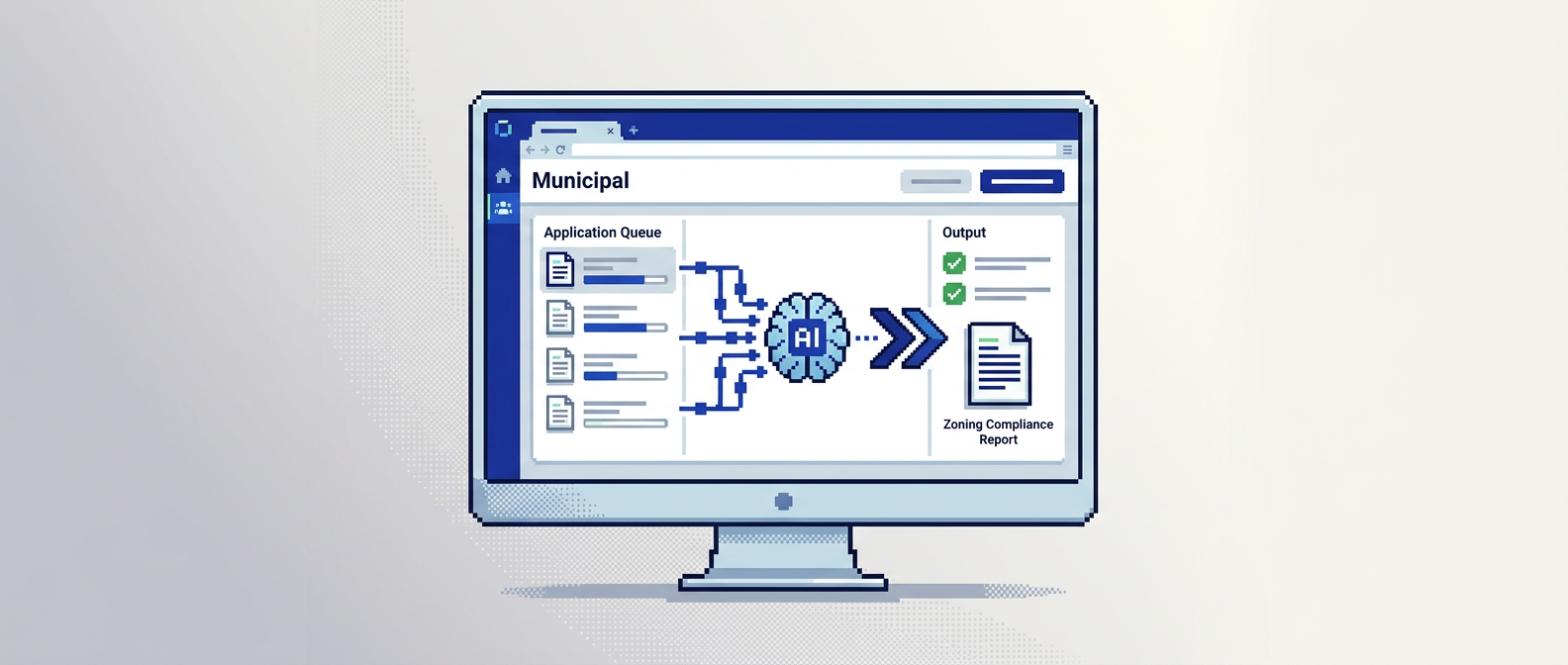
City permitting teams are under pressure to clear backlogs without compromising public safety. AI zoning compliance offers a practical way to check setbacks, lot coverage, and height in minutes, not days, while preserving a defensible audit trail.
This guide explains how AI zoning compliance works, which permits benefit most, and how to implement rule-based auto-approval with proper safeguards. It is written for municipal planning, building, and zoning departments evaluating digital building permitting solutions. The key takeaway: combine AI document analysis with clear rules, auditability, and security to cut review time and reduce errors.
What is AI zoning compliance and why it matters
AI zoning compliance uses machine learning and rules to read plan sets and permit documents, extract relevant measurements, and compare them to by-law thresholds. The goal is to surface pass, fail, or warning results for reviewers before manual checks begin.
Core capabilities
- Document parsing for PDFs, DWGs, and image files
- Extraction of elements such as setbacks, lot coverage, and structure height
- Rules evaluation against municipal by-laws and zoning codes
- Clear flags including pass, fail, or near-limit warnings
Benefits for municipal workflows
- Shorter queue times by front-loading compliance checks
- Fewer handoffs through auto-triage to the right department
- More consistent decisions with standardized rules
- Complete traceability via an activity timeline and audit trail
Where AI zoning compliance fits in the permit workflow
AI is most effective when it supports the existing review framework and augments professional judgment.
Intake and completeness checks
- Validate required documents are present and legible
- Extract key fields for the application record to reduce rekeying
- Flag missing or inconsistent measurements before routing
Departmental routing and priorities
- Auto-assign low-risk applications to fast lanes
- Escalate edge cases or complex projects to senior reviewers
- Balance workloads by department based on rules and queue thresholds
Designing rule-based auto-approval with safeguards
Rule-based auto-approval can safely accelerate low-risk, repetitive permits when combined with checks and transparency.
Defining the eligible permit types
- Simple residential decks, fences, sheds, and minor alterations
- Like-for-like replacements with no structural change
- Projects within defined measurement and zoning thresholds
Safety controls and quality gates
- Conservative thresholds with near-limit warnings
- Required evidence attachments and validation checks
- Random post-issuance audits on a percentage of auto-approved permits
From plan sets to checks: how extraction works
Understanding extraction builds reviewer trust and helps shape good rules.
Typical fields and examples
- Setback front: 6.2 m pass
- Lot coverage: 32 percent pass
- Height: 9.1 m with a warning when the by-law maximum is 9.5 m
Handling variability in drawings
- Multiple scales and notations across sheets
- OCR for text and dimensions on scanned PDFs
- Geometric reasoning from DWGs to calculate lengths and areas
Building a transparent audit trail
Accountability requires that every automated decision be explainable and reviewable.
What to log in the activity timeline
- Status changes, reviewer actions, and rule evaluations
- Document uploads and validations with timestamps
- Applicant communications, notes, and change requests
Reporting and defensibility
- Exportable decision logs for council or public records
- Filters for permit type, rule outcome, and reviewer
- Clear linkage from rule to by-law citation
Integrated payments and applicant change handling
Payments and revisions often slow reviews when handled outside the permitting system.
Streamlining payments
- Accept fees within the same application record
- Track paid, pending, and receipts in a single dashboard
- Trigger status updates on payment events
Managing revisions without restarting
- Allow applicants to submit updated plans tied to the same permit
- Re-run AI checks on the new documents with version history
- Keep reviewers focused with side-by-side comparison
Security and Canadian data residency considerations
Municipal data requires strong protections and clear residency.
Security baseline
- AES-256 encryption at rest and secure transport
- Granular role-based permissions for staff and contractors
- Real-time notifications for key events and inspections
Canadian data residency
- Store application data in Canada Central regions
- Align with municipal procurement and privacy expectations
- Provide attestations for audits and RFP responses
Implementation roadmap for municipal teams
A phased rollout limits risk and builds confidence with staff and applicants.
Phase 1: Assessment and rule catalog
- Inventory current by-law checks for target permit types
- Draft measurable rules with pass, fail, and warning states
- Define evidence requirements and documentation standards
Phase 2: Pilot and reviewer feedback
- Run AI checks in parallel with manual reviews for a sample set
- Compare outcomes and refine thresholds and messaging
- Train staff on interpreting results and using the audit trail
Phase 3: Gradual auto-approval
- Turn on auto-approval for a narrow low-risk subset
- Monitor exceptions, appeals, and post-issuance audits
- Expand scope as confidence and data quality improve
Comparing municipal permitting software options
Use this quick comparison to frame fit by workflow and compliance needs.
| Platform | AI document analysis | Auto-triage and auto-approval | Payments and change requests | Audit trail depth | Data residency focus |
|---|---|---|---|---|---|
| PermiPro | Extracts setbacks, lot coverage, height from PDF, DWG, JPG | Rule-based with warnings and eligibility rules | Integrated fees and applicant revisions | Full activity timeline and logs | Canada Central with AES-256 |
| Accela | Limited native extraction, integrations available | Configurable routing, auto-approval varies | Payments supported | Enterprise logging | US centric, options vary |
| OpenGov | Document management and routing | Rules supported, scope varies | Payments supported | Logging and reporting | US centric, options vary |
| Clariti | Routing and workflows | Rules engine, extraction varies | Payments supported | Logging | Options vary by tenant |
| Cloudpermit | Digital intake and routing | Rules supported, extraction varies | Payments supported | Logging | Options vary by tenant |
Practical metrics to track after rollout
Focus on outcome metrics that reflect speed, quality, and accountability.
Time and throughput
- Median days from submission to decision by permit type
- Percentage of applications routed to fast lane vs standard
- Reviewer hours saved on repetitive checks
Quality and compliance
- Rate of post-issuance corrections or field inspection issues
- Share of auto-approvals passing random audits
- Applicant resubmission rate due to missing or unclear data
Change management for staff and applicants
Clear roles and repeatable steps help adoption.
Staff enablement
- Short training on interpreting AI results and warnings
- Playbooks for exceptions and escalation paths
- Office hours for questions during the first 90 days
Applicant communication
- Plain-language guidance on required documents and measurements
- Real-time status updates and email notifications
- Self-serve uploads with drag and drop up to common file sizes
Real-world scenario: low-risk deck permit
Consider a residential deck within a standard zone.
Intake and AI checks
- Applicant uploads site plan PDF and elevation DWG
- AI extracts front setback 6.2 m and lot coverage 32 percent
- Height returns a warning at 9.1 m close to 9.5 m maximum
Decision and recordkeeping
- Auto-approval issues based on rules for low-risk decks
- Payment clears within the same application record
- Audit trail logs the evidence, rules fired, and timestamps
Access control and separation of duties
Permissions should reflect municipal roles and responsibilities.
Role-based permissions
- View, edit, approve, and delete operations scoped by role
- Contractor or inspector accounts limited to assigned tasks
- Periodic reviews of permissions against staffing changes
Controls for sensitive actions
- Dual approval for high-impact status changes
- Alerts for unusual activity patterns
- Immutable logs preserved for records retention
AI permitting software buyer checklist
Use these questions during evaluation to match needs with solutions.
Compliance checks and accuracy
- Which zoning elements are extracted reliably today
- How are near-limit cases flagged to reviewers
- Can rules cite specific by-law sections in decisions
Workflow and integration
- Can the system rerun checks on resubmissions
- Are payments, change requests, and inspections integrated
- What APIs exist for GIS, records, and reporting tools
Key Takeaways
- Use AI zoning compliance to pre-check documents, reduce manual work, and standardize decisions.
- Start with low-risk permits and build conservative rules with clear warnings.
- Maintain a complete audit trail linking rules to by-law citations for defensibility.
- Integrate payments and change handling to avoid external delays.
- Track time to decision, audit pass rates, and resubmission rates to guide expansion.
Adopt a phased approach and pair automation with transparency so your team can deliver faster reviews with confidence.