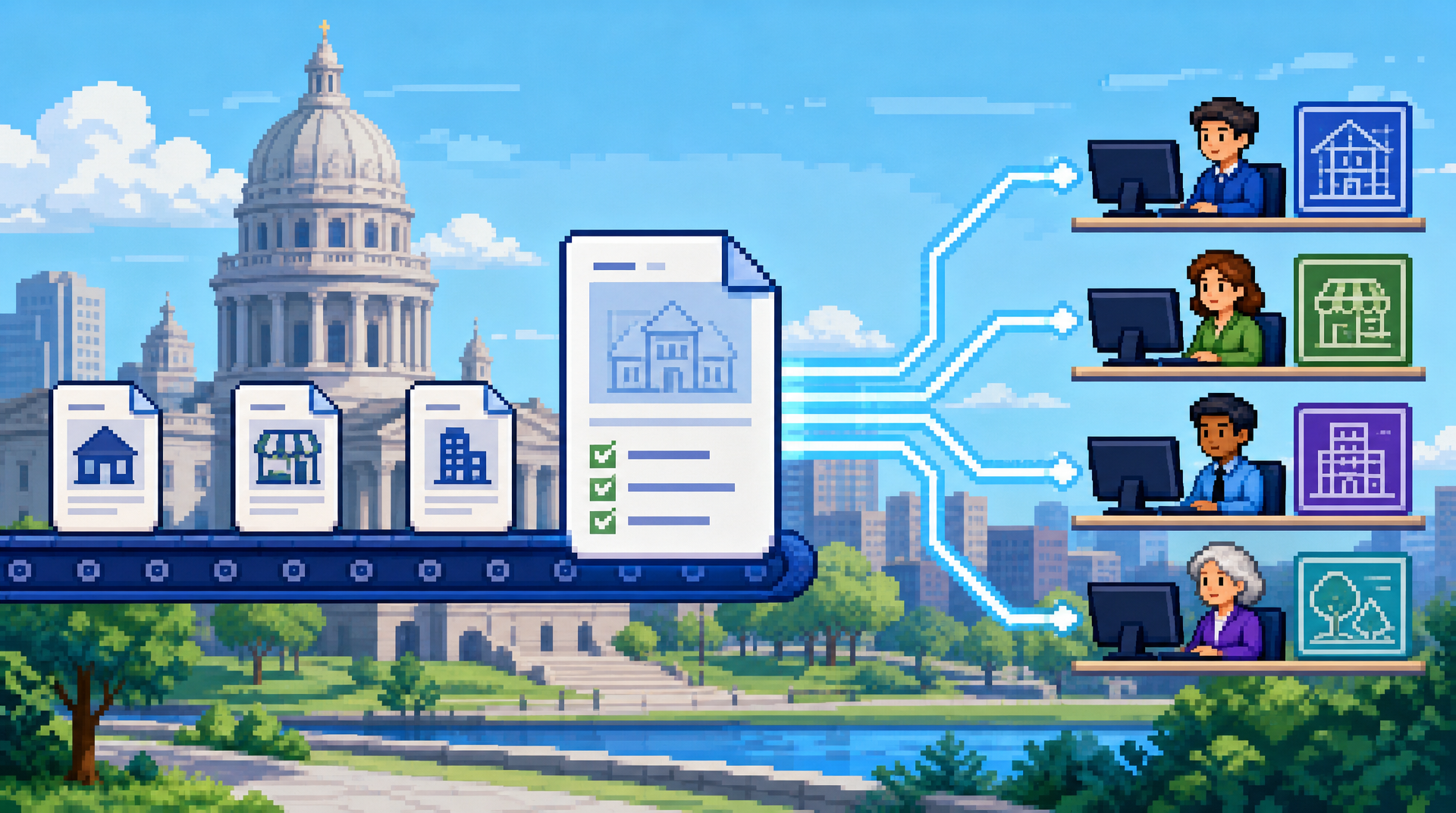
A permit application should not wait in a general queue simply because staff must first determine what it is, what is missing, and who needs to review it. When intake volume rises, those early decisions can become a major source of delay, rework, and inconsistent applicant communication.
This guide explains how automated permit triage works for municipal planning, building, and zoning departments, how to set practical routing rules, and how to keep staff accountable for exceptions. It is for municipal permit leaders and reviewers looking to improve digital building permitting workflows. The key takeaway is that well-governed triage moves complete, low-risk applications forward sooner while directing complex or incomplete cases to the right people for informed review.
What Is Automated Permit Triage?
Automated permit triage is the intake process of classifying an application, checking defined requirements, and assigning the next action based on configured rules. Rather than replacing professional judgment, it applies consistent first-pass logic to information already supplied by applicants.
In municipal permit management software, triage can assess application type, project location, selected scope of work, required attachments, payment status, and submitted data. It can then route an application to a department, request missing information, flag a potential issue, or place an eligible application into an approval path.
Triage is different from final review
A triage decision answers questions such as: Is this application complete enough to enter review? Which department should receive it first? Does the scope require a specialist review? These are workflow questions that can often be governed by clear, repeatable conditions.
Final review remains the responsibility of authorized municipal staff. A building official, planner, zoning reviewer, or other designated professional must still evaluate cases that require interpretation, discretion, site-specific findings, or technical approval. Automated routing should make that work more focused, not bypass required oversight.
The operational problem triage solves
Without structured triage, staff often open documents manually, identify basic attributes, forward emails, and follow up on missing items one application at a time. Applications may sit in the wrong queue, circulate between departments, or be reviewed before essential materials are available.
A consistent triage workflow creates a visible starting point. It helps departments distinguish between applications ready for review, applications awaiting applicant action, and applications requiring immediate escalation. This clarity is valuable both for internal workload management and for applicants checking live status.
Build Routing Rules Around Municipal Policy and Practice
Effective routing begins with existing policy, intake forms, and staff knowledge. The objective is not to automate every decision at once. It is to document the common, stable decisions that staff already make and configure them so the process is applied consistently.
Map the application types and review paths
Start by listing the permits and related requests received by the department, such as residential alterations, accessory structures, signs, demolition, commercial tenant improvements, or zoning approvals. For each type, identify the usual review path, required departments, documents, fees, and common reasons for follow-up.
Then define the conditions that change the route. A project located in a particular zoning district may require planning review. A scope involving structural work may require building review. Work affecting a protected area or a specialized utility may need an additional department assignment.
The following framework separates routine routing decisions from decisions that should remain with staff.
| Decision area | Example rule | Automated action | Staff role |
|---|---|---|---|
| Permit type | Applicant selects residential deck | Assign building and zoning review path | Confirm unusual scope if flagged |
| Required documents | Site plan is missing | Send a request for missing item | Review response when received |
| Location | Parcel is in a designated overlay area | Add planning review | Evaluate applicable requirements |
| Scope threshold | Application meets defined low-risk criteria | Send to eligible approval queue | Approve only if authorized and appropriate |
| Fee status | Required payment is incomplete | Hold before review | Resolve exceptions or waivers |
This exercise also exposes where routing logic is unclear. Those gaps are useful findings. They may signal a need to clarify an intake procedure, revise an application form, or define escalation ownership before configuring automation.
Use clear conditions, owners, and outcomes
Every rule should specify three elements: the condition that triggers it, the action the system takes, and the person or team accountable for exceptions. For example, if an applicant chooses a permit type that requires a site plan, the system can check for an attachment and request it when absent. If the document is present but unreadable, the application should go to a named intake queue rather than remain in an ambiguous state.
Avoid rules based on vague language such as “large project” or “complex case” unless the department has established definitions. Where judgment is needed, use a flag or escalation route. Rules should reflect adopted procedures and authorized delegation, not create a substitute policy.
Design for changes, not only first submissions
Permit work rarely ends with the first upload. Applicants may submit revised drawings, respond to correction notices, or request a change after an initial review. The triage design should state what happens when a new document arrives or a material field changes.
For instance, a revised site plan may need to notify the assigned reviewer and reopen a specific review step, while an administrative update may only need to be recorded in the activity timeline. Connected applicant change requests reduce the risk that significant revisions are handled through disconnected email threads.
Use Permit Document Analysis to Improve Intake Quality
Documents carry much of the information needed to assess an application, but manual reading is time-consuming and inconsistent at scale. Permit document analysis can help extract relevant details from uploaded PDFs, drawings, and images so staff can identify missing or potentially noncompliant information earlier.
Focus extraction on review-relevant fields
For zoning compliance automation, useful fields may include setbacks, lot coverage, building height, parcel references, and dimensions shown on submitted plans. The purpose is not to treat extracted values as unquestionable findings. It is to give reviewers a structured starting point and identify submissions that may need attention.
An AI permitting software workflow can compare extracted information against configured requirements or route an application for review when a value is absent, unclear, or outside a defined threshold. Staff should be able to see the source document and validate the information before relying on it for a decision.
Treat low-confidence results as review signals
Plan quality varies. Scanned documents, handwritten annotations, unusual drawing layouts, and incomplete files can all affect extraction accuracy. A reliable workflow should distinguish between information that was found clearly and information that needs verification.
Instead of silently making a routing decision from uncertain data, send low-confidence cases to an intake or technical review queue. This approach preserves efficiency for straightforward submissions while maintaining appropriate human control over ambiguous ones.
Make document requirements visible to applicants
The best time to address missing documentation is before an application reaches a reviewer. Configure application-specific checklists that explain what applicants need to submit, such as a completed form, site plan, construction drawings, supporting calculations, or owner authorization where applicable.
Drag-and-drop document management for PDF, DWG, and JPG files can make submission easier, but usability alone is not enough. The workflow should clearly show what has been received, what is still required, and what action the applicant must take. Automated email notifications can reinforce that message without staff sending repetitive reminders.
Create Safe Paths for Low-Risk Applications
Some permit categories may be eligible for streamlined handling when they meet defined criteria and local policy permits it. The key is to establish a controlled pathway, not a blanket auto-approval mechanism.
Define eligibility narrowly and transparently
Begin with permit types that have stable requirements, limited scope, and a predictable review path. Eligibility rules might require a complete application, successful payment, the correct project category, no location-based trigger for additional review, and no document-analysis flag requiring staff attention.
The exact criteria should be approved through the municipality's established governance process. Departments should also define exclusions clearly. Projects involving special districts, prior violations, variances, historical review, complex structures, or other locally significant conditions may need standard staff review even when the initial submission appears complete.
Add review gates and exception handling
A low-risk route can include multiple gates. For example, the system can verify required fields and documents, assess configured conditions, and send only eligible cases to an authorized approval queue. It can also stop the process when a required condition is not met.
The table below shows how different outcomes can preserve staff control.
| Application status | Triage outcome | Next step |
|---|---|---|
| Complete and within defined criteria | Eligible expedited path | Authorized staff approves or system applies permitted automated action |
| Missing required attachment | Applicant action required | Send request and pause review clock according to local procedure |
| Extracted value needs verification | Review flag | Assign to designated zoning or building reviewer |
| Multiple department triggers | Coordinated review | Route to all required departments with visible assignments |
| Rule conflict or system exception | Manual intake review | Staff resolves and records the disposition |
This model supports faster processing for eligible permits without implying that speed is more important than compliance, due process, or local requirements.
Keep Applicants and Staff Aligned Throughout the Workflow
Triage is only useful if its outcomes are understandable. Applicants need clear next steps, while staff need a shared view of ownership, status, and pending work.
Send action-based messages, not generic updates
A message stating that an application is “under review” may be technically correct but not useful. Better notifications identify the action required: upload a revised site plan, pay an outstanding fee, provide a missing authorization, or wait for a department review already in progress.
For staff, notifications should be targeted to the assigned department or reviewer. Excessive alerts create noise and can undermine adoption. Configure notifications around meaningful transitions, approaching internal deadlines, returned applications, and newly submitted revisions.
Connect payments to the application status
Online permit payments are part of the operational workflow, not merely a separate finance task. If payment is required before review or issuance, the application status should reflect that requirement clearly and update when payment is confirmed.
Integrated payments can reduce manual status checks and make the applicant journey more coherent. Municipalities should still configure the workflow to reflect their own fee schedules, waiver authority, reconciliation practices, and financial controls.
Give supervisors a manageable queue view
Department leaders need to see more than a total number of applications. Useful operational views show applications waiting for applicants, pending intake, assigned to each department, approaching an internal service target, or blocked by an exception.
Live status and department assignment make it easier to rebalance work when a reviewer is unavailable or when a seasonal increase affects a particular permit category. Queue visibility does not replace management judgment, but it gives supervisors timely information for making decisions.
Protect Accountability With Audit Trails and Permissions
Automation increases the importance of clear records. When a routing rule acts on an application, departments should be able to understand what happened, when it happened, and who changed the relevant configuration or record.
Record each material workflow event
Permit workflow audit trails should capture events such as application submission, document uploads, routing changes, review decisions, approvals, returned applications, payments, notifications, and applicant change requests. A chronological activity timeline gives staff a practical record when applicants ask about status or when managers review a delayed case.
The record should identify whether an action was completed by an applicant, a staff member, or an automated rule. This distinction helps departments investigate exceptions, train staff, and demonstrate that established process controls were followed.
Apply role-based access to tasks and data
Not every user needs the same ability to view, edit, approve, or configure workflow rules. Granular role-based permissions can separate applicant access from staff access and limit approvals or configuration changes to authorized roles.
Permissions should be reviewed alongside the department's internal control practices. For example, a user who can alter a fee-related status may not be the person authorized to approve an exception. Municipal legal, records, security, and finance stakeholders can help ensure the configuration aligns with applicable local requirements.
Include security in the implementation plan
Municipal software should be assessed for security, data handling, and hosting requirements before deployment. Controls such as AES-256 encryption at rest and regional hosting support may be relevant considerations, but each municipality should perform its own procurement, security, and records review.
Ask vendors how they manage access, retain activity records, support incident response, and handle data residency needs. These questions are central to accountable digital building permitting, particularly when multiple departments and external applicants use the same system.
Implement Automated Permit Triage in Phases
A phased rollout helps departments validate rules, build staff confidence, and avoid trying to solve every intake issue in one project. Start with a high-volume, relatively predictable application type and expand based on observed results.
Pilot one workflow and measure the right signals
Choose a workflow with known delays, clear requirements, and willing staff participants. Document the current process before changing it, including common missing items, handoffs, reassignments, and applicant questions. Then configure a limited set of routing and completeness rules.
During the pilot, review whether applications reach the right queue, whether requests for information are understandable, and how often staff override the system's recommendation. Frequent overrides are not necessarily a failure. They may show that a rule needs refinement or that an exception category needs to be formalized.
Establish rule governance before scaling
Assign ownership for approving, testing, changing, and retiring triage rules. Changes should be documented, tested in a controlled manner, and communicated to affected staff. A simple change process is especially important when permit forms, fee schedules, departmental responsibilities, or local requirements change.
PermiPro supports this approach with configurable rules, AI-powered document analysis, department assignment, activity timelines, and granular permissions. For municipal teams, the practical value is a connected workflow that can route routine work consistently while keeping exceptions visible for staff review.
Key Takeaways
- Automated permit triage classifies, checks, and routes applications using defined municipal rules, while final decisions remain with authorized staff.
- Strong routing rules identify the trigger, the automated action, and the owner responsible for exceptions.
- Permit document analysis can surface relevant compliance information and missing materials early, but uncertain results should be routed for human verification.
- Low-risk expedited paths need narrow eligibility criteria, review gates, and a complete audit record.
- Applicant communication, payment status, permissions, and workflow history should operate as one accountable permit process.
A carefully phased rollout helps municipal departments reduce avoidable intake work while preserving the oversight required for fair, consistent permitting.