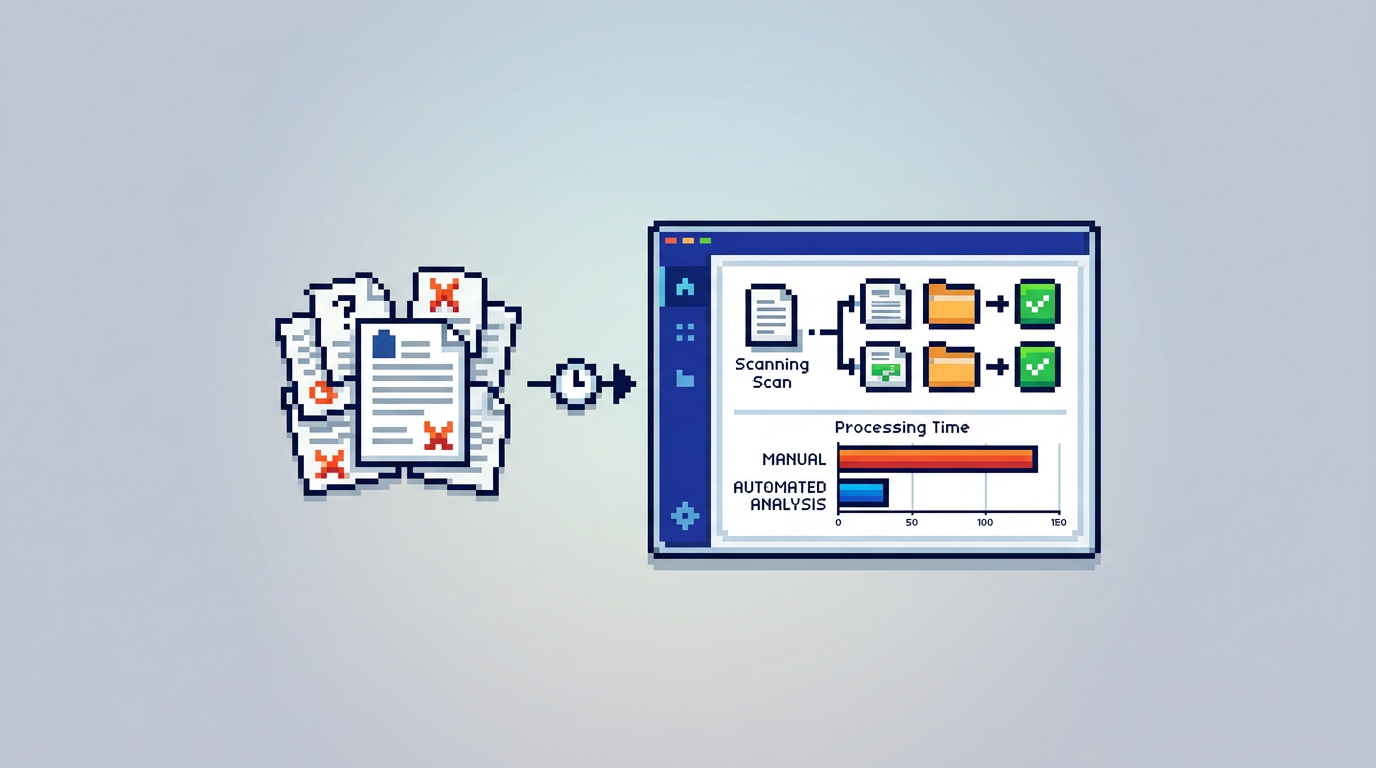
Permitting backlogs are not just a staffing problem. They are often a document problem. Without accurate permit document analysis at intake, even simple applications ricochet between departments, creating delay and frustration for staff and applicants.
This guide explains how permit document analysis fits into modern municipal permit management software, who benefits across planning and building teams, and the key takeaway: when you combine AI permitting software with rule-based auto-approval and integrated payments, you cut review time for low risk work while raising compliance and accountability.
Why Manual Workflows Fail Growing Communities
Fragmented intake creates avoidable rework
Paper forms, email attachments, and shared drives scatter critical details across systems. Staff spend hours hunting for the latest plan set or insurance certificate, then request clarifications that could have been flagged upfront.
Hidden queues slow every permit type
When staff hand-triage every application, low risk decks and sheds wait behind complex files. The queue lengthens, and applicants flood inboxes for status updates.
Inconsistent checks lead to uneven outcomes
Different reviewers may apply by-law and zoning rules in slightly different ways. Without standardized checks, municipalities face escalations, appeals, and reputational risk.
What Permit Document Analysis Actually Does
Extracts structured facts from unstructured files
AI parses PDFs, DWGs, and images to pull key fields like setbacks, lot coverage, and building height. Instead of reading every page, reviewers see normalized data points ready for verification.
Flags variances against local by-laws
Configured rules check extracted values against municipal thresholds. Example outcomes: Setback Front 6.2 m Pass, Lot Coverage 32 percent Pass, Height warning at 9.1 m vs 9.5 m max.
Boosts first time completeness
Clear, automated feedback during intake prompts applicants to upload missing documents or correct plan details before submission, reducing resubmissions.
From Analysis to Actionable Routing
Smart auto triaging by department and risk
Applications are categorized by permit type, property attributes, and extracted metrics, then routed to Planning, Building, or specialized teams. Low risk items move faster, complex ones get expert eyes.
Rule based auto approval for eligible cases
When all configured conditions pass, the system can approve and issue permits immediately. Every decision is logged in the audit trail for accountability.
Designing Safeguards Around Auto Approval
Transparent rules and override controls
Publish the ruleset governing auto approval. Staff with the right role can pause or override the outcome, with reasons captured for audit readiness.
Progressive rollout and sampling
Start with a narrow scope like simple decks or sheds. Use random sampling of auto approved permits for secondary review to validate accuracy before expanding.
Building Compliance In at the Plan Level
AI zoning compliance you can verify
Automated checks compare extracted dimensions to by-law tables for setbacks, coverage, and height. Reviewers confirm the sources and see the markup that drove each finding.
AI by law compliance beyond geometry
Track required attachments like insurance certificates, energy forms, or heritage approvals. Missing or expired documents block issuance until resolved.
Payments, Changes, and Status in One Place
Integrated permit payments platform
Applicants pay fees inside the same workflow. Staff see paid versus pending balances, receipts, and refunds without switching tools.
Managing applicant change requests
When plans change mid review, applicants submit revisions with notes. The system versions documents, updates extracted data, and rechecks rules automatically.
Accountability Through an Audit Trail
End to end activity timeline
Every action is recorded, from status changes and document uploads to auto validations and approvals. This supports internal QA and public records requests.
Granular, role based permissions
Limit who can view, edit, approve, or delete records. Sensitive information is protected while keeping workflows moving.
Security and Canadian Data Residency
Encryption at rest and in transit
Protect permit files and applicant data with AES 256 at rest and strong TLS in transit. Security posture aligns with municipal IT standards.
Canada Central data residency
For Canadian municipalities, storing data in Canada Central supports policy alignment and procurement requirements without workarounds.
A Practical Blueprint to Modernize Reviews
Phase 1: Intake quality and document readiness
Deploy permit document analysis at the front door. Require standard file types and sizes, and surface missing items before submission. Expect immediate drops in resubmissions.
Phase 2: Risk scoring and routing
Use extracted data to categorize applications and direct them to the right team. Set clear service levels for each risk band.
Phase 3: Narrow scope auto approval
Enable rule based auto approval for the most predictable, low risk categories. Pair with sampling and dashboards to monitor accuracy and cycle time.
Comparing Modern Options for Municipal Teams
Before choosing a platform, align needs to outcomes. The table below compares common focus areas across modern solutions.
| Focus area | Permit document analysis | Auto triage and approval | Integrated payments | Audit trail depth | Canada data residency |
|---|---|---|---|---|---|
| Intake quality | High impact if AI extracts plan metrics | Enables low risk routing | Reduces off platform steps | Confirms source of facts | Required for Canadian municipalities |
| Reviewer efficiency | Cuts reading time | Shrinks queues for simple work | Speeds issuance post approval | Supports supervision and QA | Aligns with procurement |
Where PermiPro Fits
End to end permitting built for municipalities
PermiPro combines permit document analysis, smart auto triage, and rule based auto approval with applicant self serve uploads, integrated payments, and live status tracking.
Evidence led outcomes and controls
- Faster first review with extraction from PDFs, DWGs, and JPGs up to 50 MB
- Clear pass and warning statuses for setbacks, lot coverage, and height
- Complete audit trail with timestamps, user roles, and actions
- Role based permissions, real time email notifications, and Canada Central data residency
Implementation Tips for Change Management
Start with clear service level targets
Publish cycle time goals by permit category. Use dashboards to show pre and post metrics as you introduce automation.
Train reviewers on verification, not re entry
Shift reviewer time from manual data entry to validation of extracted metrics and exceptions handling.
Metrics That Matter to Council and the Public
Time to decision by permit category
Show median times for low, medium, and high complexity permits before and after deployment. Highlight the effect of auto approval on simple cases.
First time completeness and resubmission rate
Track the percentage of applications accepted without resubmission. Improvements here signal better applicant guidance and intake quality.
Frequently Overlooked Risks When Modernizing
Automating a broken form
If intake forms are unclear, automation will move junk faster. Fix forms and checklists first, then add analysis and routing.
Skipping communication
Applicants need clear status updates. Use notifications for submissions, payments, inspections, and approvals to keep inbox noise down.
Sample Reviewer Workflow With Analysis in Place
Intake and validation
- Applicant uploads a site plan, elevations, and supporting documents
- System extracts setbacks, lot coverage, and height; flags a height warning at 9.1 m vs 9.5 m max
- Missing insurance certificate is flagged before submission
Routing and decision
- Application is labeled Low Risk and routed to Planning for zoning check
- Reviewer verifies extracted values and resolves the height warning
- If configured rules pass, the permit is auto approved, the payment is captured, and the audit trail logs the issuance
Procurement Considerations for IT and Legal
Security questionnaires and attestations
Prepare responses on encryption methods, data residency, access controls, and audit logging. Map them to municipal policy requirements.
Integration and export paths
Confirm CSV or API export of permits, payments, and audit logs. Ensure you can retrieve documents and metadata in a vendor neutral format.
Key Takeaways
- Permit document analysis improves intake quality and cuts review time by extracting facts from plan files and checking them against local rules.
- Pair analysis with smart auto triage and targeted auto approval to move low risk permits faster without sacrificing oversight.
- Integrated payments, change requests, and status updates reduce handoffs and applicant emails.
- An auditable timeline, role based permissions, and Canadian data residency build trust with staff, council, and the public.
- Start small, measure outcomes, and expand the automation envelope as accuracy and confidence grow.
Modernizing permitting is a stepwise journey. Focus on intake quality first, then automate where rules are clear and the audit trail is strongest.